You've got a product, a phone and a free afternoon. You open CapCut, cut a 15-second reel, add captions and trending audio, and post it. It looks good.
Then you try to run it as an ad and test 5 different openings. Then the 4:5 feed version. Then next week's batch, because the first one stopped working after four days.
That's where most free reel apps run out. They're excellent editors, built for one creator making one video. Reels ads are a different job: many variants, cut fast, tested and replaced.
This guide does both. It gives an honest look at the best free apps for making reels, then shows what changes when that reel is an ad, with real examples from Marxx's ad library.

The short answer
| If you need… | Use |
|---|---|
| A free editor with no watermark, made for Instagram | Edits (Meta's free app) |
| Templates and trending effects | CapCut |
| A simple, clean free editor | VN |
| Branded reels from templates, plus resizing | Canva |
| Quick trims and music on older phones | InShot (free version adds a watermark) |
| Many ad variants, hooks based on what's working, every placement, published to Meta | Marxx generation canvas |
The best free apps for making reels
1. Edits (by Meta): best free all-rounder for Instagram
Meta's own editor is free, exports without a forced watermark (up to 4K, according to its App Store listing), and comes with tools that used to cost money: AI object tracking, Restyle presets for clips up to 10 seconds, automatic sound effect suggestions and Cut Silences for talking-head videos.
- Good for: creators and brands posting straight to Instagram.
- Watch out for: mobile only (iOS and Android, no desktop). Meta has said some AI features may become paid later.
2. CapCut: best for templates and trends
CapCut has the biggest template library and the fastest trend cycle. That's why most people start there.
- Good for: trend-led content, quick edits and effects.
- Watch out for: watermark-free exports depend on what you use. Premium templates and assets can add a watermark or an upgrade prompt, and the automatic ending clip needs deleting.
3. VN: best clean, simple editor
VN describes itself as a free editor with no watermark, and it has a proper multi-track timeline.
- Good for: people who want control without paying.
- Watch out for: fewer templates and fewer trend features than CapCut.
4. Canva: best for branded reels and resizing
Canva's video editor works from templates and brand kits, and it can resize a design into other formats.
- Good for: marketers who need on-brand reels that look consistent.
- Watch out for: some elements and features are Pro-only. It's built for design more than fast cutting.
5. InShot: best for quick edits on older phones
InShot is light, simple and quick for trims, music and text.
- Watch out for: the free version adds a watermark. Removing it needs Pro (or watching an ad per export, according to some guides).
Feature and watermark details come from each app's own listing and third-party reviews as of October 2026. They change often, so check before you rely on them.
What changes when the reel is an ad
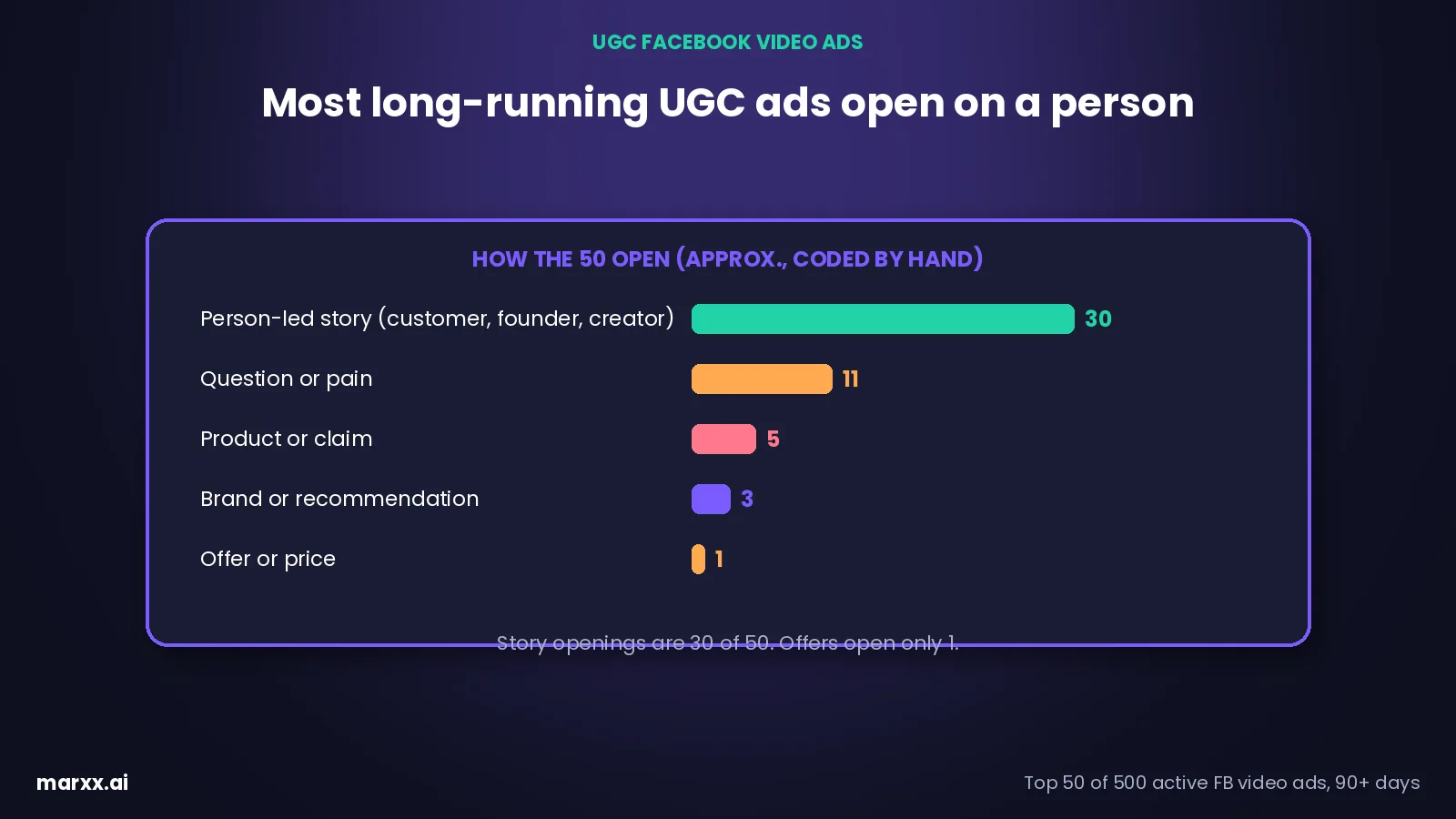
Here's what Reels advertising actually looks like. Marxx pulled video ads running on Instagram, and one pattern shows up again and again.
Most Reels ads don't last long, and that's on purpose.

Master AI, a creator-education app, ran a long list of reel ads with different hooks: low view counts, "earn while you scroll", trending-audio mistakes, a ₹1 trial. Most ran 4 to 11 days before being replaced. This isn't failure. It's hook testing: launch many openings, keep the one that works, replace the rest.
The ones that last are simple.

| Brand | Opening line (paraphrased) | Format | Days live |
|---|---|---|---|
| Adscrey | Ad spend going up, sales aren't | Direct to camera + captions | 125 |
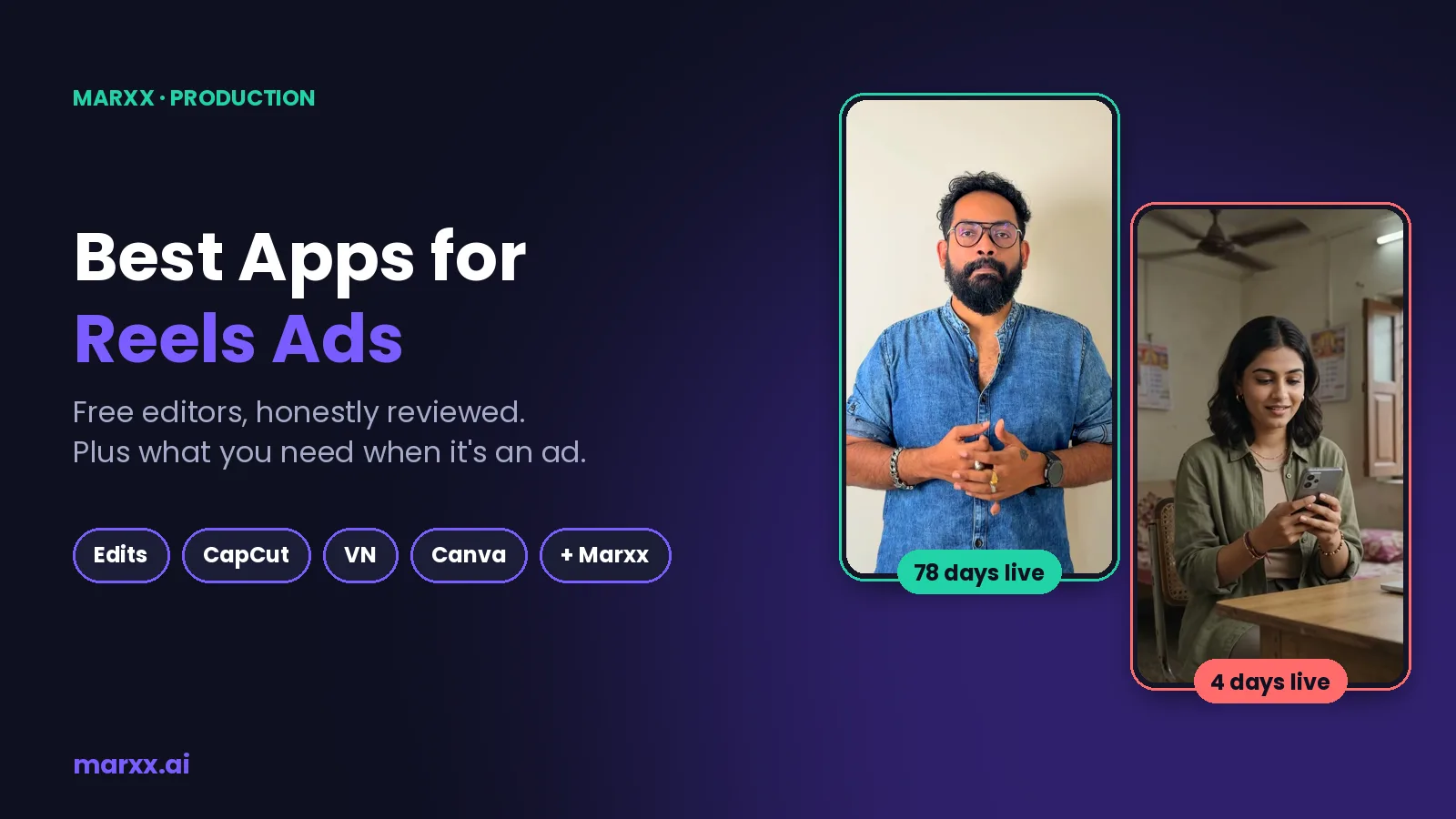
| Rohith AI Marketer | Can you hit profitable ROAS on Meta? | Direct to camera | 78 (still live) |
| 7 billboards | Most founders ask the wrong question | Direct to camera | 42 (still live) |
All three are one person talking to the camera, with one clear claim in the first second and captions on. None of them needs a fancy editor. What made them work was the hook, and you only find a hook like that by testing a lot of them.
Why free apps hit a ceiling for ads
Free apps are great at making a reel. Running Reels ads needs four things they weren't built for:
- Volume. Ten hook variants means editing the same video ten times, one by one.
- Knowing which hooks to test. A template library shows what's trending on organic Instagram, not which ad hooks are working in your category.
- Every placement. The same ad needs 9:16 for Reels and Stories, 4:5 for feed and often 1:1. Most phone editors make you rebuild or re-export each one.
- Getting it into Ads Manager. Exporting to your camera roll, uploading, naming, repeating.
None of this is a flaw in the apps. It's a different job.
The Marxx generation canvas: one brief, finished Reels ads
The canvas covers the steps that come after "edit a video":
Start from hooks that are already working. Marxx shows which hooks and formats are rising in your category, like the direct-to-camera claims above, so your first draft isn't a guess.
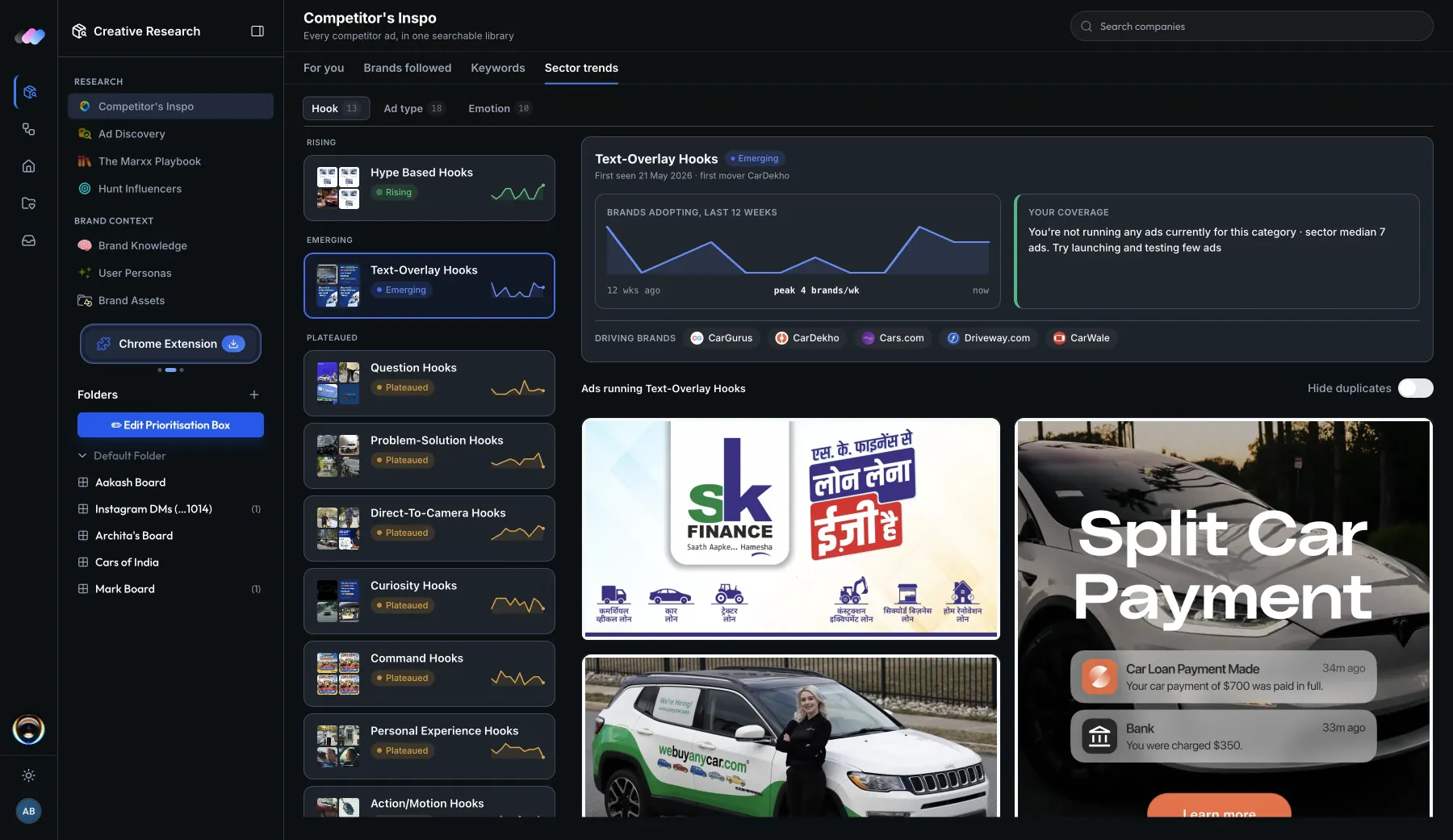
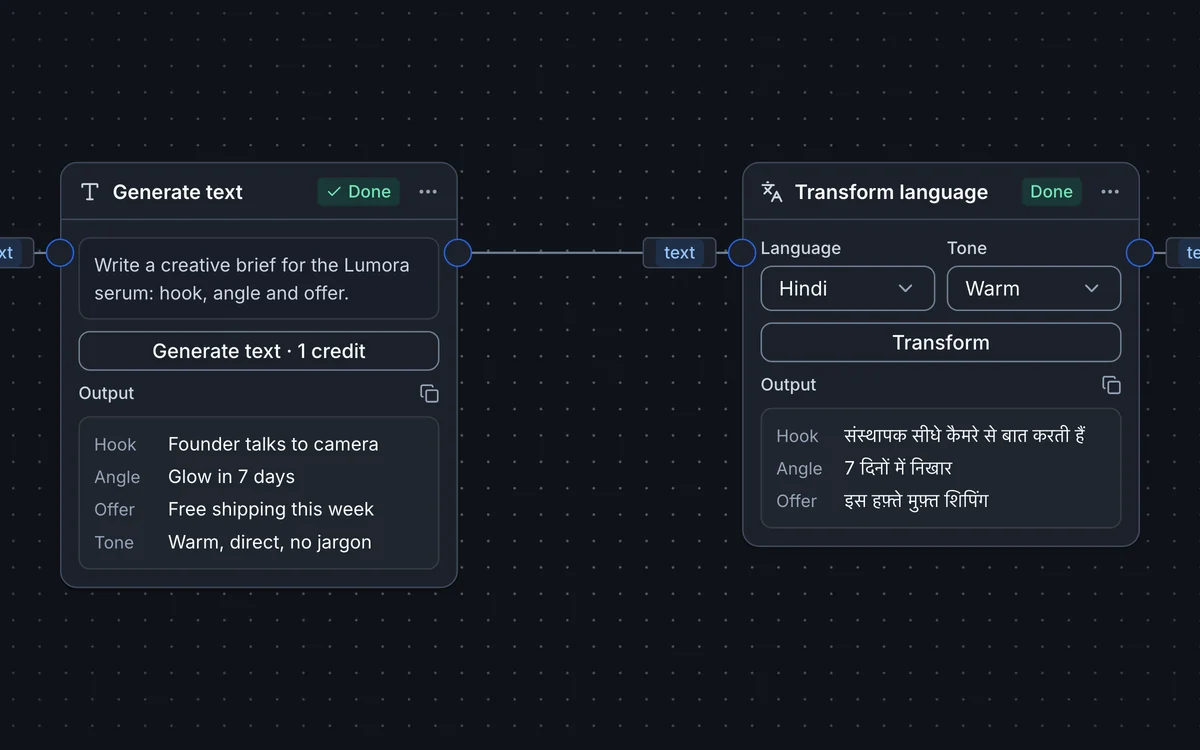
Write the variants. One brief becomes several hook and script variants.
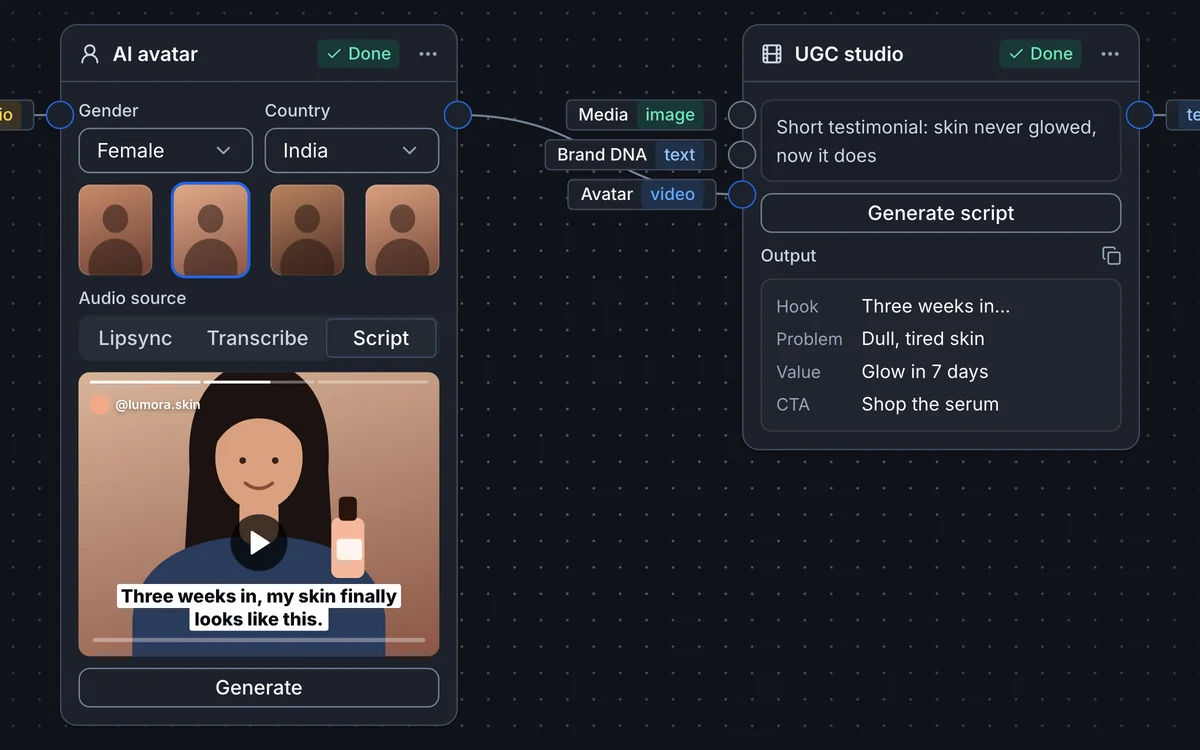
Add talent and voice. Use your own footage, a UGC-style creator or an AI avatar, with voice and captions.
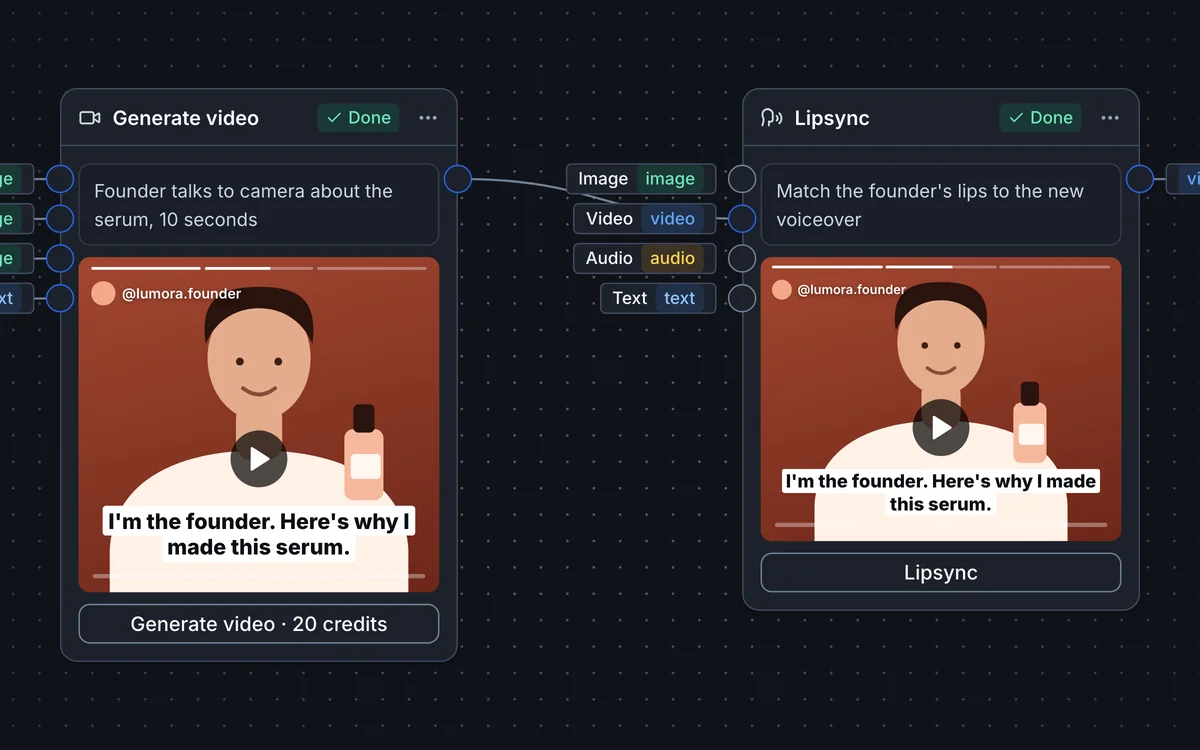
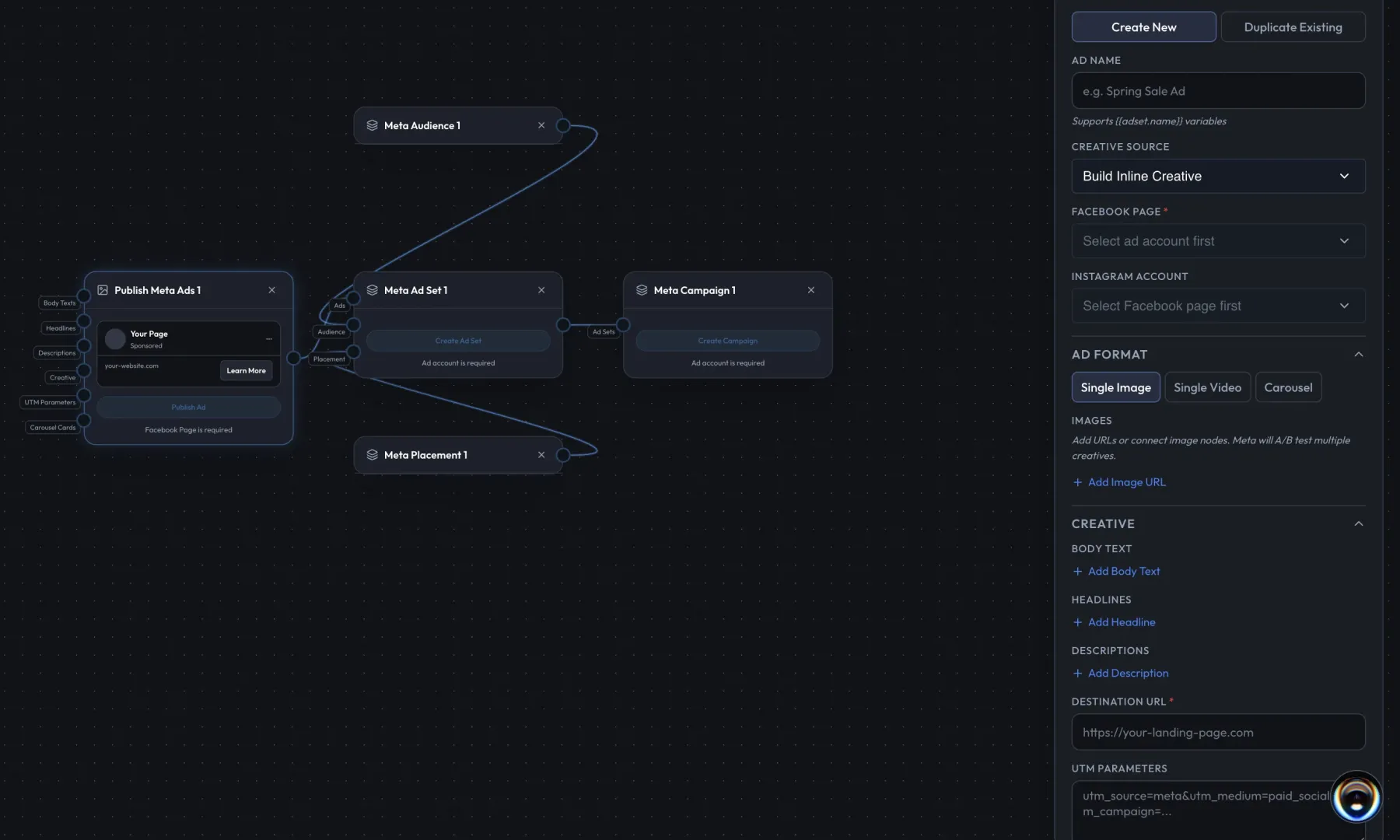
Resize once and publish. Every variant comes out in 9:16, 4:5 and 1:1, and goes straight to Meta.

Keep your editor. If you love cutting in Edits or CapCut, keep doing it for organic posts. Use the canvas when you need ten ad versions by Friday.
How to choose
- Posting organic reels a few times a week? Edits or CapCut, free.
- Want clean exports with no fuss? Edits or VN.
- Need on-brand template reels? Canva.
- Running Reels ads and testing hooks every week? Use a free editor for the hero cut and the Marxx canvas for variants, resizing and publishing.
FAQ
What's the best free app to make reels? For most people, Edits. It's free, made by Meta for Instagram, and exports without a forced watermark. CapCut is the best choice if templates and trends matter most.
Which free reel apps have no watermark? Edits and VN advertise watermark-free exports. CapCut can be watermark-free if you avoid premium templates and delete the ending clip. InShot's free version adds a watermark.
Can I make Reels ads with a free app? Yes, for a single ad. If you're testing several hooks each week and need every placement, the editing time adds up quickly. That's what ad production tools are for.
How long should a Reels ad be? Short enough to land the hook in the first second or two. The long-running examples above all open with one clear claim straight away.
What makes a Reels ad last? In the examples above, it's a strong opening line, direct to camera, with captions. The ones that last are usually the survivors of many hook tests.
Turn one brief into finished Reels ads
Keep your favourite editor for organic posts. When it's an ad, try the Marxx generation canvas: start from hooks that are already working, create the variants, get every placement and publish to Meta from one brief.
Related: HeyGen alternatives for performance ad teams · Ad testing software vs what Meta gives you
Sources: Inro: Meta Edits app guide · Splice: apps that export without watermarks · Marxx ad library, October 2026.