Connections
Connect Instagram and save reels to a board
Prove your Instagram account by sending a code to @marxx_ai, then share reels and posts to @marxx_ai to save them to a board.
Linking Instagram lets you save a reel or post to a Marxx board straight from the Instagram app. You send a one-time code to @marxx_ai to prove the account is yours. After that, anything you share with @marxx_ai lands on the board you choose.
Link your account
Open Settings → Integrations.
On the Instagram card, select Connect. The Connect Instagram window opens and shows Your verification code.
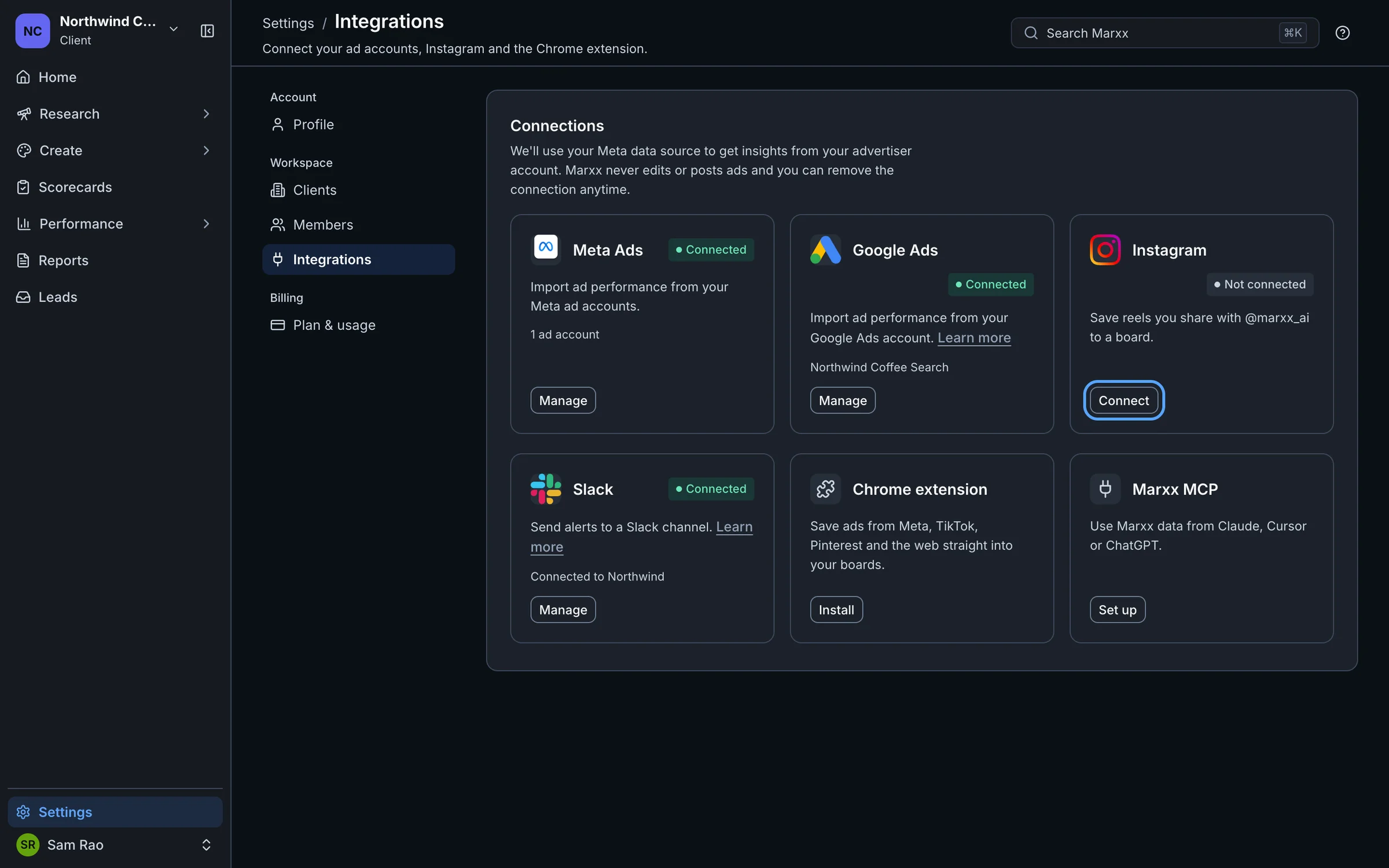
Select Copy.
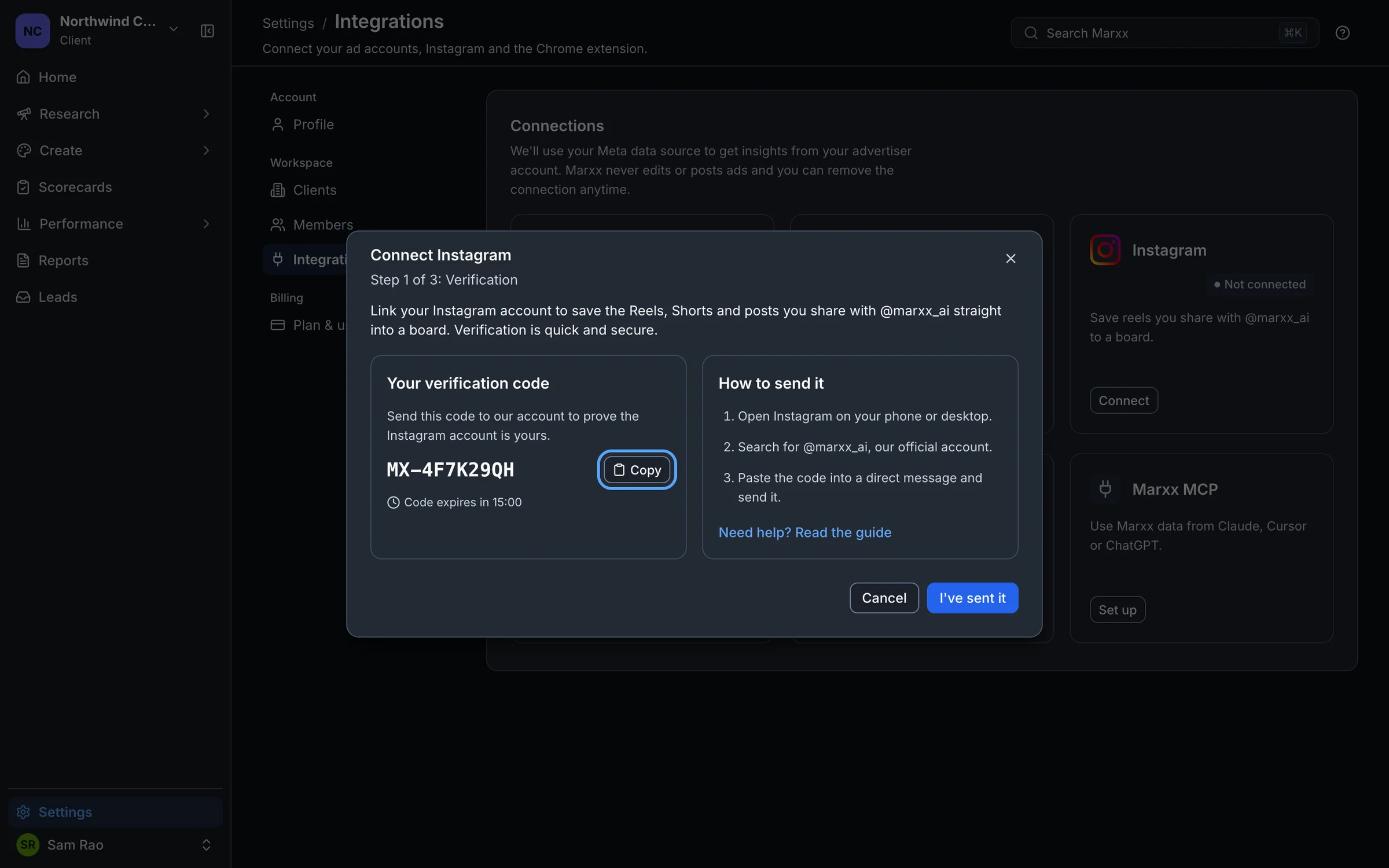
In Instagram, on your phone or desktop, search for @marxx_ai. That is our official account.
Paste the code into a direct message and send it.
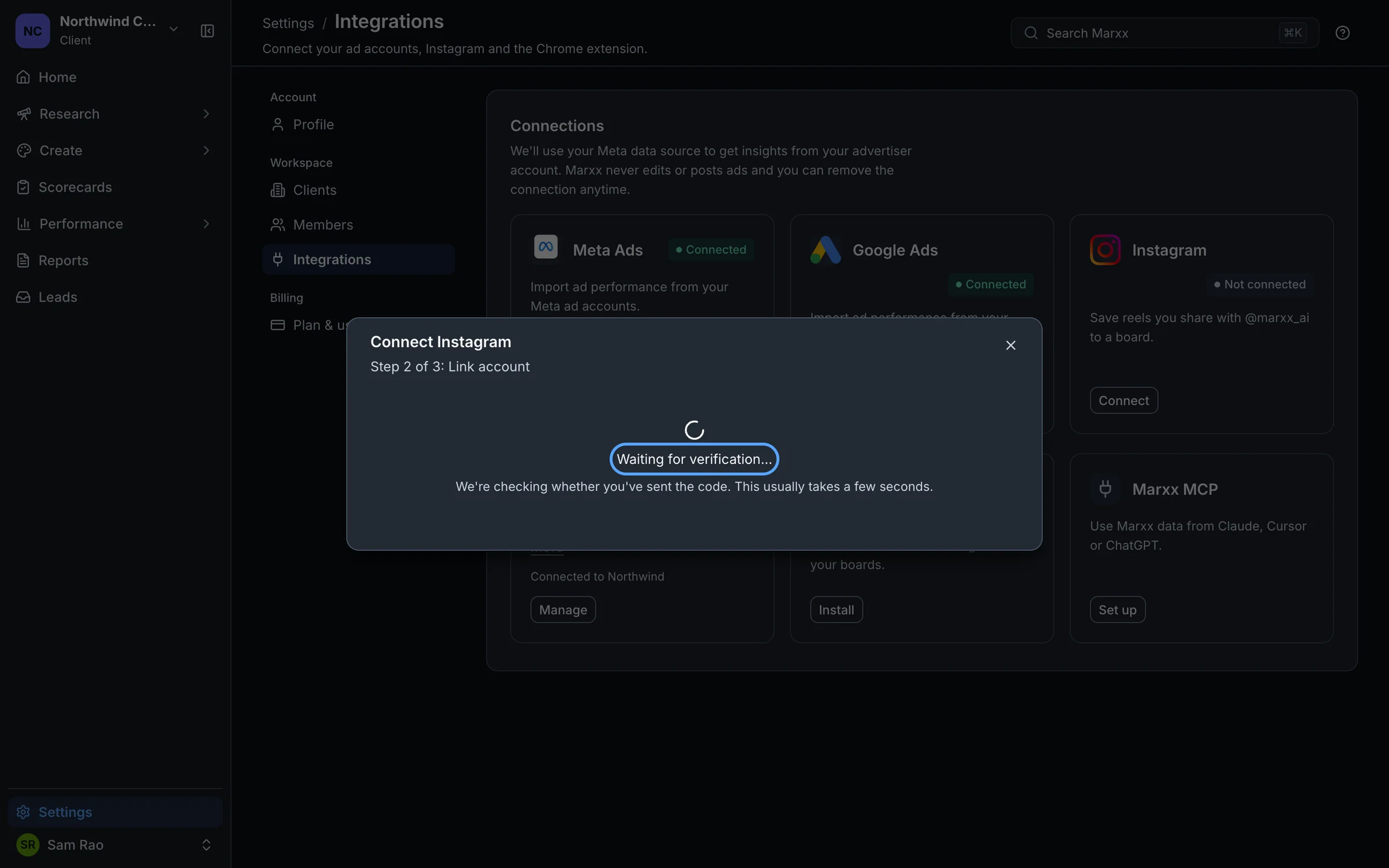
Back in Marxx, select I've sent it. The window shows "Waiting for verification…". This usually takes a few seconds.
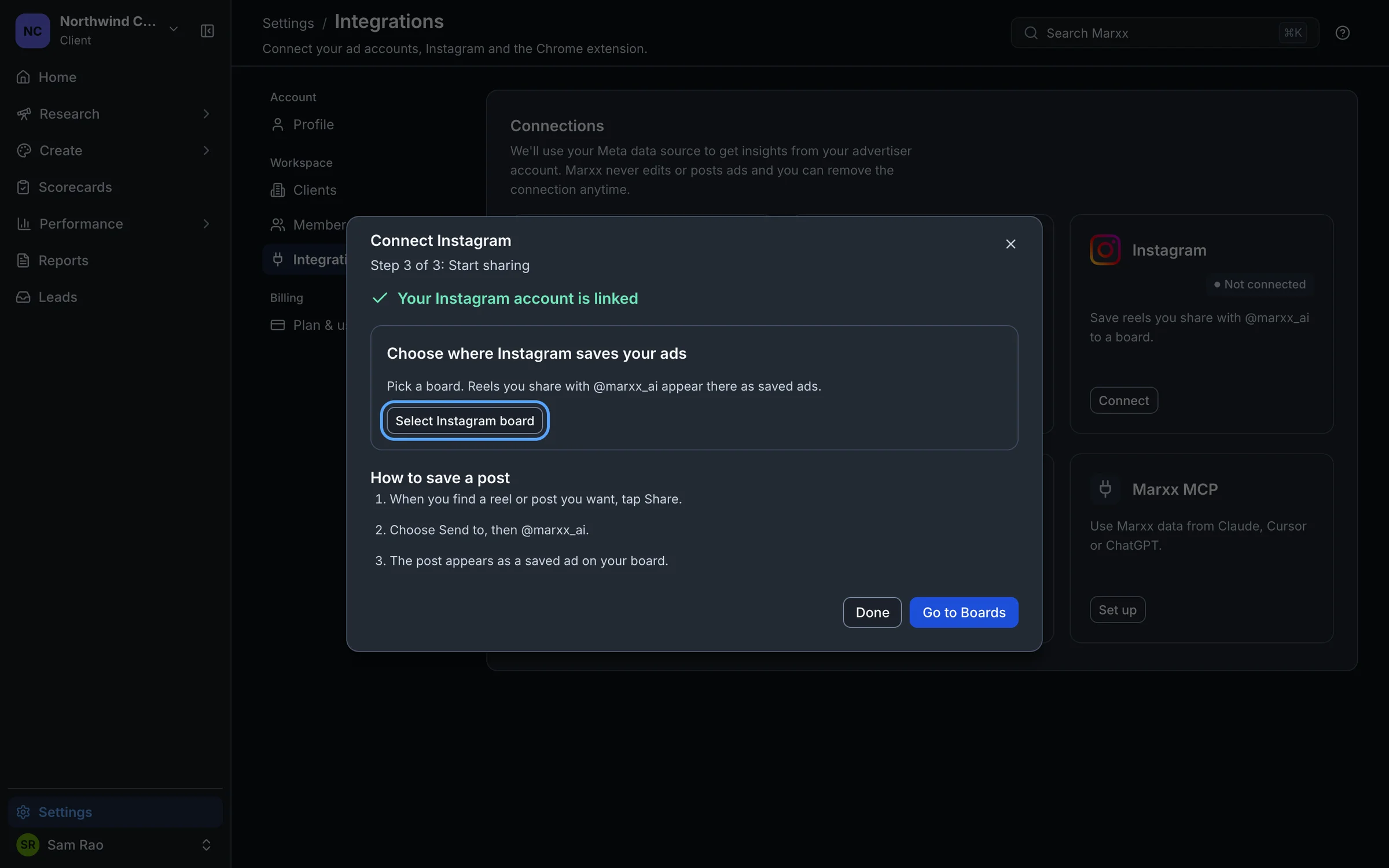
When it says "Your Instagram account is linked", linking is done.
Send the code from the Instagram account you want to link. The code is how Marxx knows which account it is.
The code expires in 15 minutes. The window shows a countdown. If it runs out, close the window and select Connect again for a fresh one.
Choose a board
In the same window, under Choose where Instagram saves your ads, select Select Instagram board and pick a board, or create a new one. Reels you share appear there as saved ads.
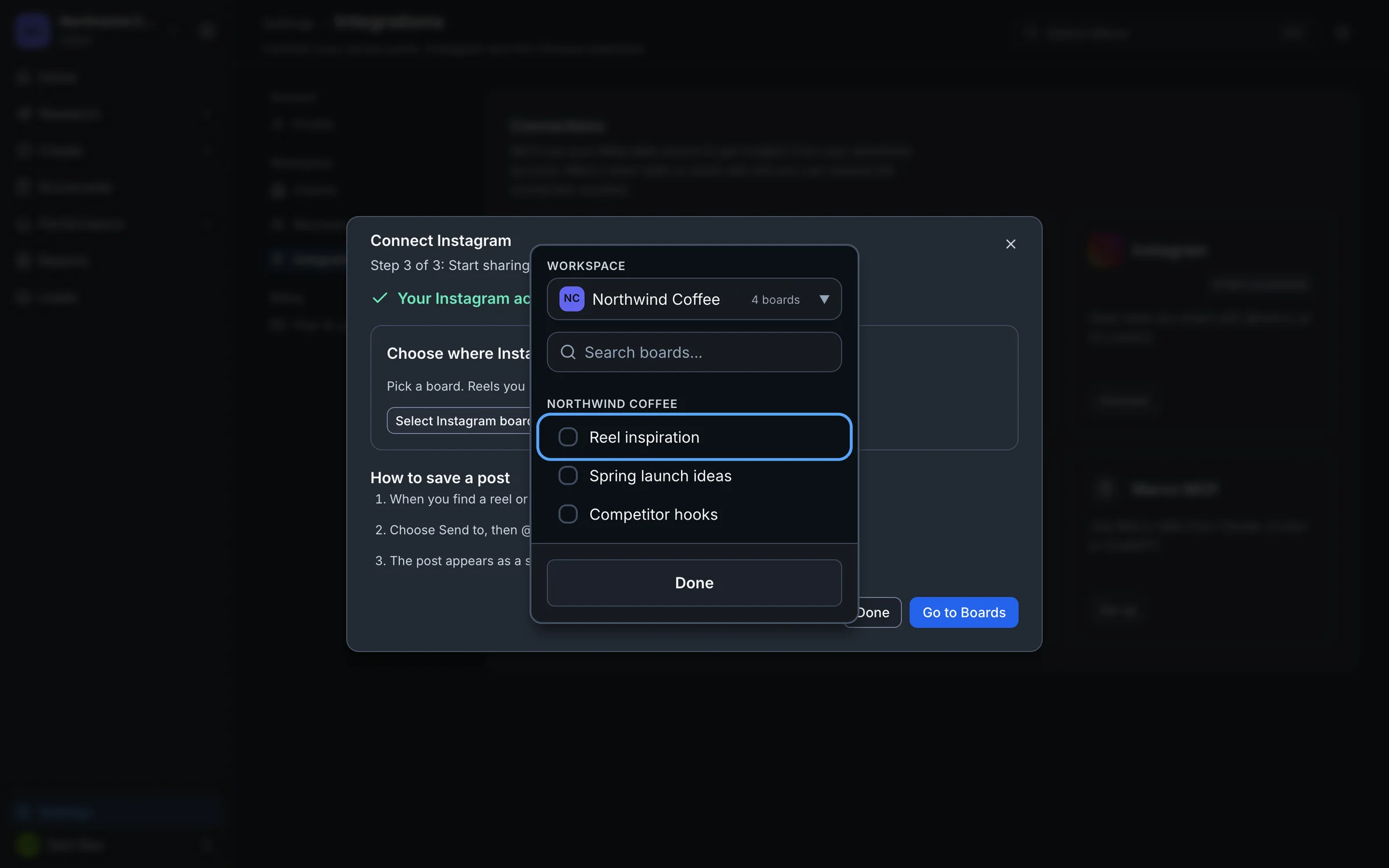
You can change it any time. Open Settings → Integrations, select Manage on the Instagram card, then Change board beside the account. If you run several clients, the picker lets you choose which client the board lives in.
Save a reel or post
- In Instagram, find a reel or post you want and tap Share.
- Choose Send to, then @marxx_ai.
- The post appears as a saved ad on your board.
Select Go to Boards in the window to open your boards.
Manage accounts
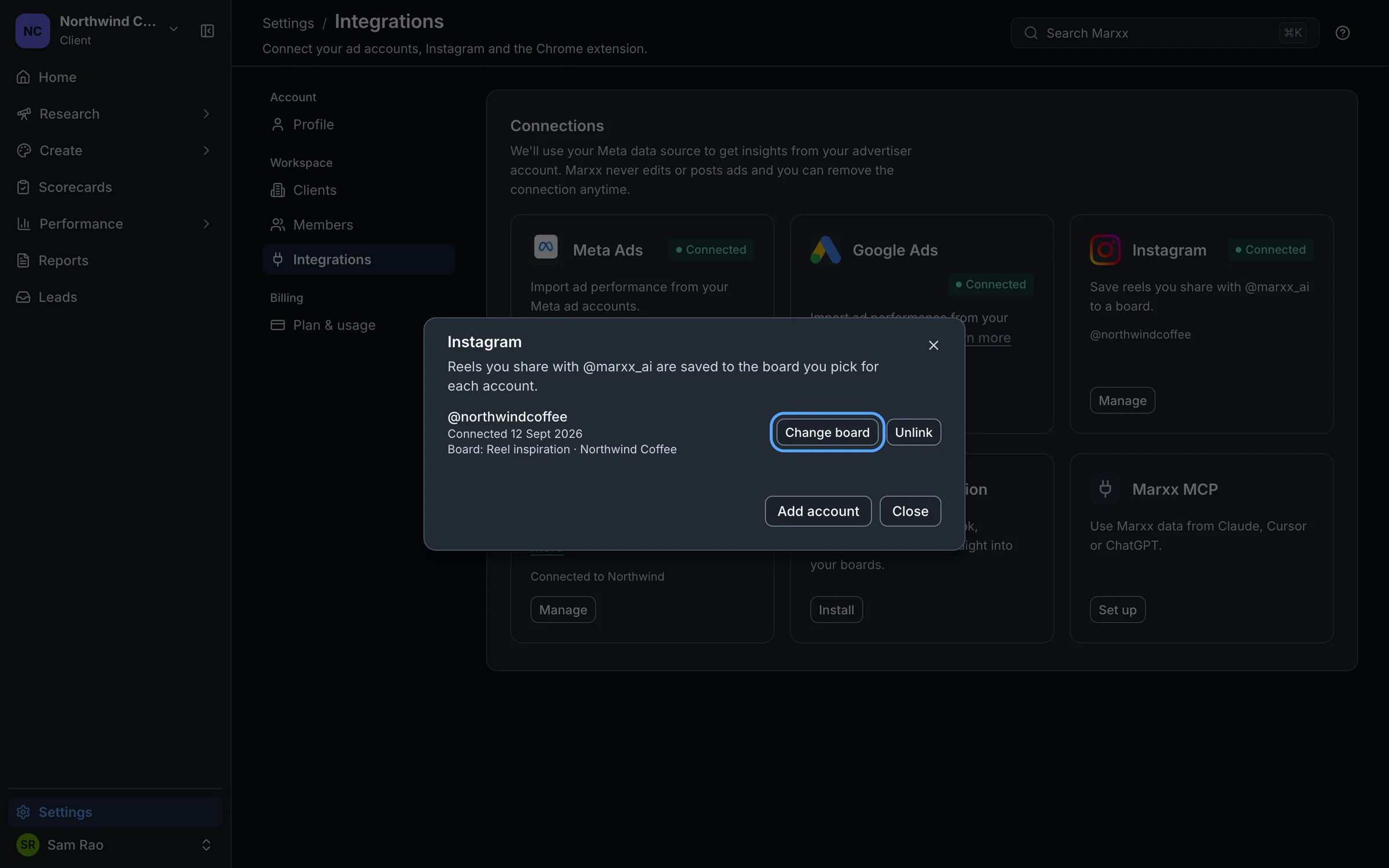
Select Manage on the Instagram card to see each linked account, when it was connected, and its board. From there you can:
- Add account to link another Instagram account. Each one needs its own code.
- Select board or Change board for an account.
- Unlink an account. Marxx asks you to confirm, and warns that you'll lose access to Reels insights and saved ads from that connection.
Your plan may limit how many Instagram accounts you can link. If you reach the limit, a dialog explains. See Credits and limits.
If it doesn't work
The messages in quotes below are the replies @marxx_ai or Marxx gives you.
- The window keeps saying "Waiting for verification…". Check that you sent the exact code, from the right Instagram account, to @marxx_ai and not to a lookalike. Then give it a minute.
- "Code expired." Generate a new code and send that one.
- "Invalid code." Copy the code with Copy instead of retyping it.
- "This Instagram account is already linked to a Marxx account." That Instagram account is linked elsewhere. Unlink it there first.
- "Too many code generation attempts." You asked for too many codes in a short time. Wait 30 minutes and try again.
- A shared post doesn't appear. Open Manage and check the account. If it says No board selected, choose a board.
Still stuck?
Email apurv@marxx.ai with a screenshot of what you see, or book a call and we will walk through it with you.