Plans and credits
Credits and plan limits
Limits cap how much of something you can have. Credits pay for generations and analysis. Here is how each one behaves and what to do when you hit it.
Marxx counts two different things, and they run out in different ways.
Limits and credits
Limits come from your plan. Most cap how much of something you can have at one time, such as followed brands or connected ad accounts. When you remove one, the place is free again.
Credits pay for generations and analysis. As Plan & usage puts it: "Credits pay for generations and analysis. They never expire and are shared across your organization."
What your plan can limit
A plan can cap any of these. A limit your plan doesn't set shows as Unlimited.
| Limit | What it counts |
|---|---|
| Meta brands followed | Meta brands you follow with AI analysis |
| Google brands followed | Google advertisers you follow with AI analysis |
| Keywords followed | Keywords you track |
| Voice-of-customer sources | Review, forum and app-store sources connected for personas |
| Meta ad accounts | Meta ad accounts you connect |
| Google Ads accounts | Google Ads accounts you connect |
| Instagram accounts | Instagram accounts you link |
| Instagram posts saved | Posts saved to boards by sending them to Marxx, in total |
| Brand asset storage (GB) | Brand files synced for search, shared by all of your organization's clients |
| Mood boards | Boards you create. Boards Marxx makes itself don't count |
| Marxx MCP tool calls | Calls your connected AI tools make over MCP, in total |
Limits are counted per client, except brand asset storage, which is shared across the organization.
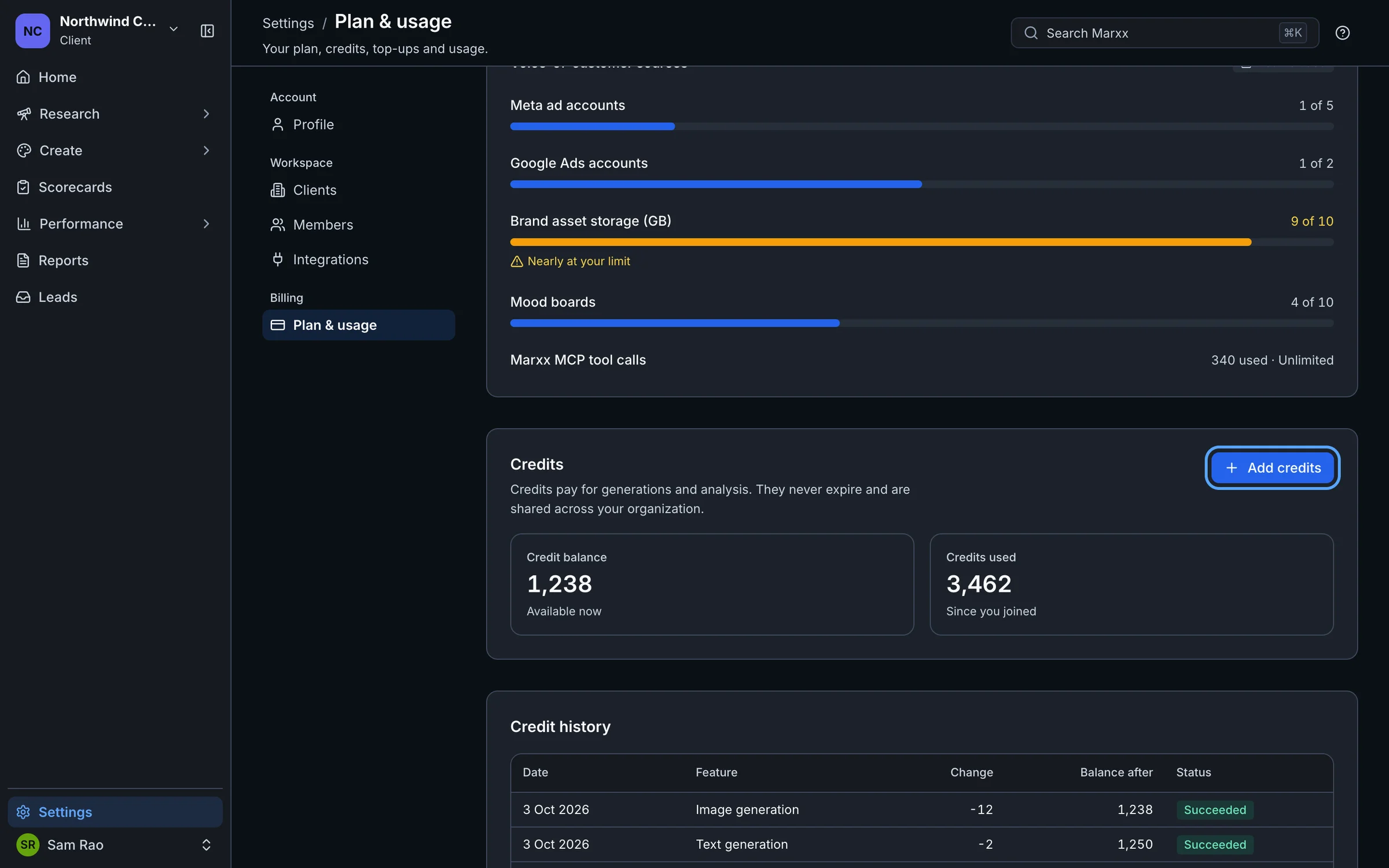
See your usage
Go to Settings, then Plan & usage.
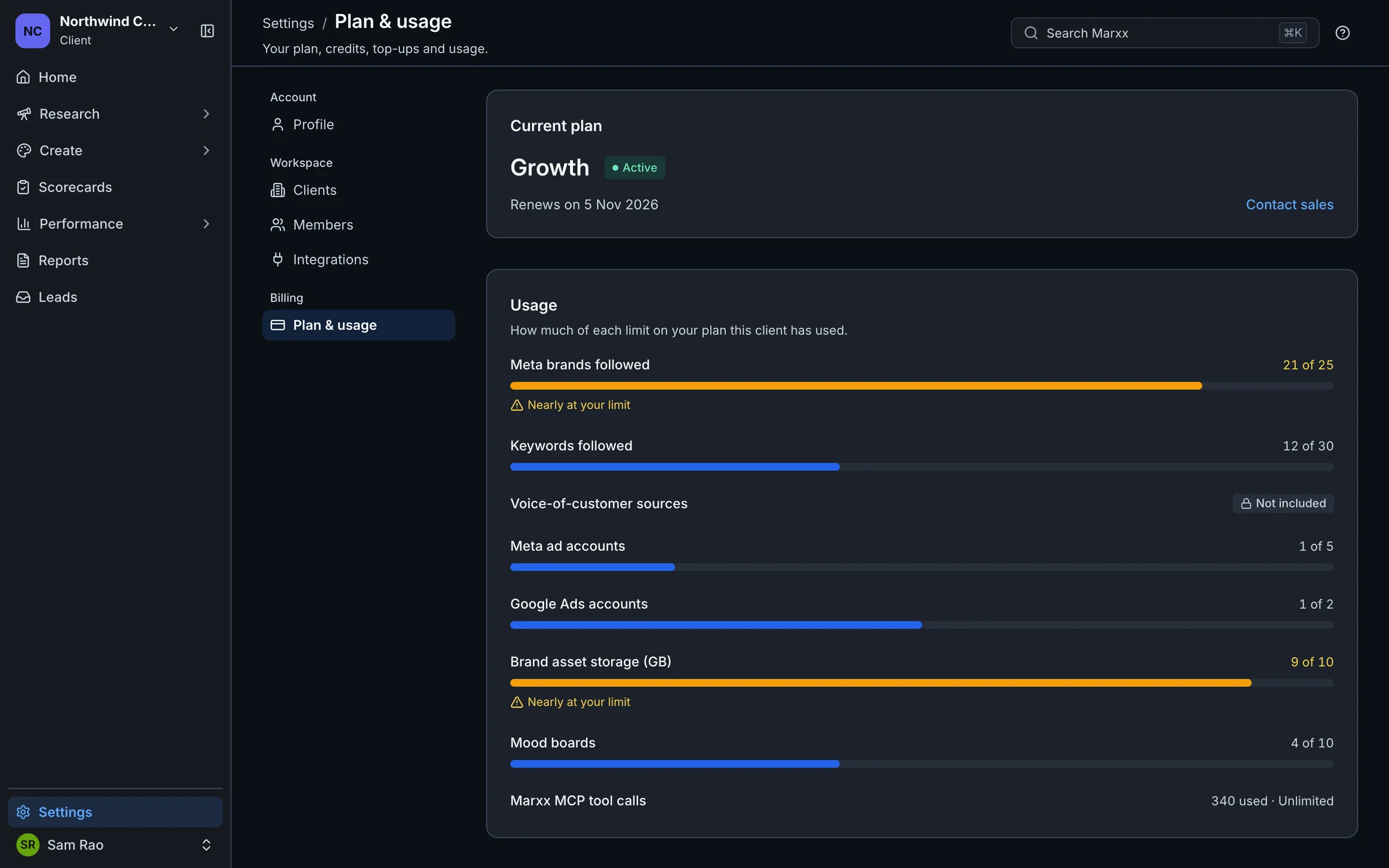
- Current plan shows your plan, its status and the renewal or end date.
- Usage shows a meter for each limit. A limit set to zero shows Not included.
- Credits shows your Credit balance and Credits used, with an Add credits button.
- Credit history lists each credit transaction with its date, feature, change and balance after.
Your balance is also in the account menu at the bottom of the sidebar, under Credits.
When you hit a limit
A dialog titled You've reached your plan's limit shows the limit and how much you've used. You have three choices:
- Not now closes it.
- A Manage button takes you to where you can free a place. It is named for the limit: Manage followed brands, Manage tracked keywords, Manage connections, Manage integrations, Manage boards or Manage brand assets.
- Upgrade plan opens Plan & usage.
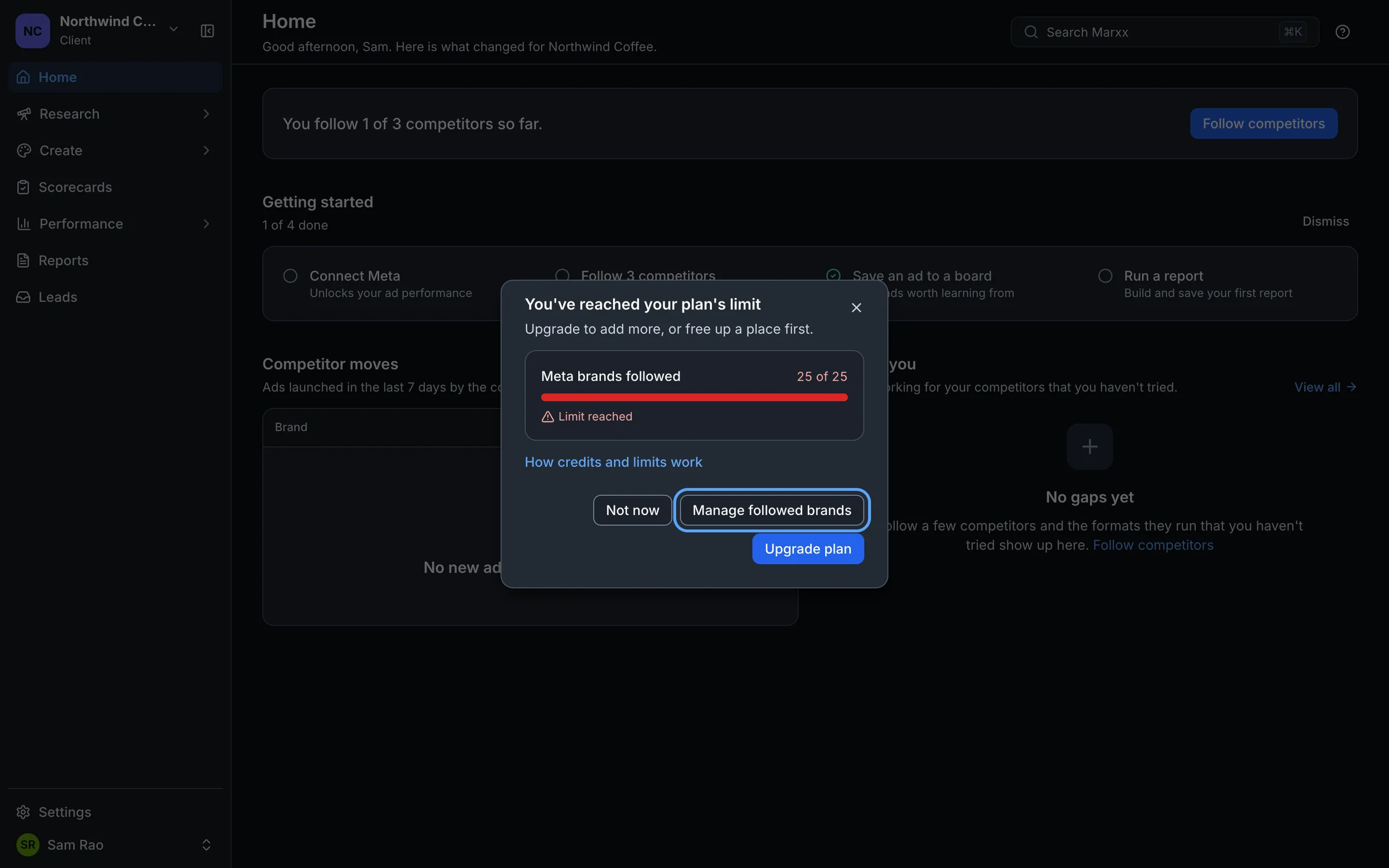
Remove something, then try again. Limits for Instagram posts saved and MCP tool calls count in total, so they have no Manage button.
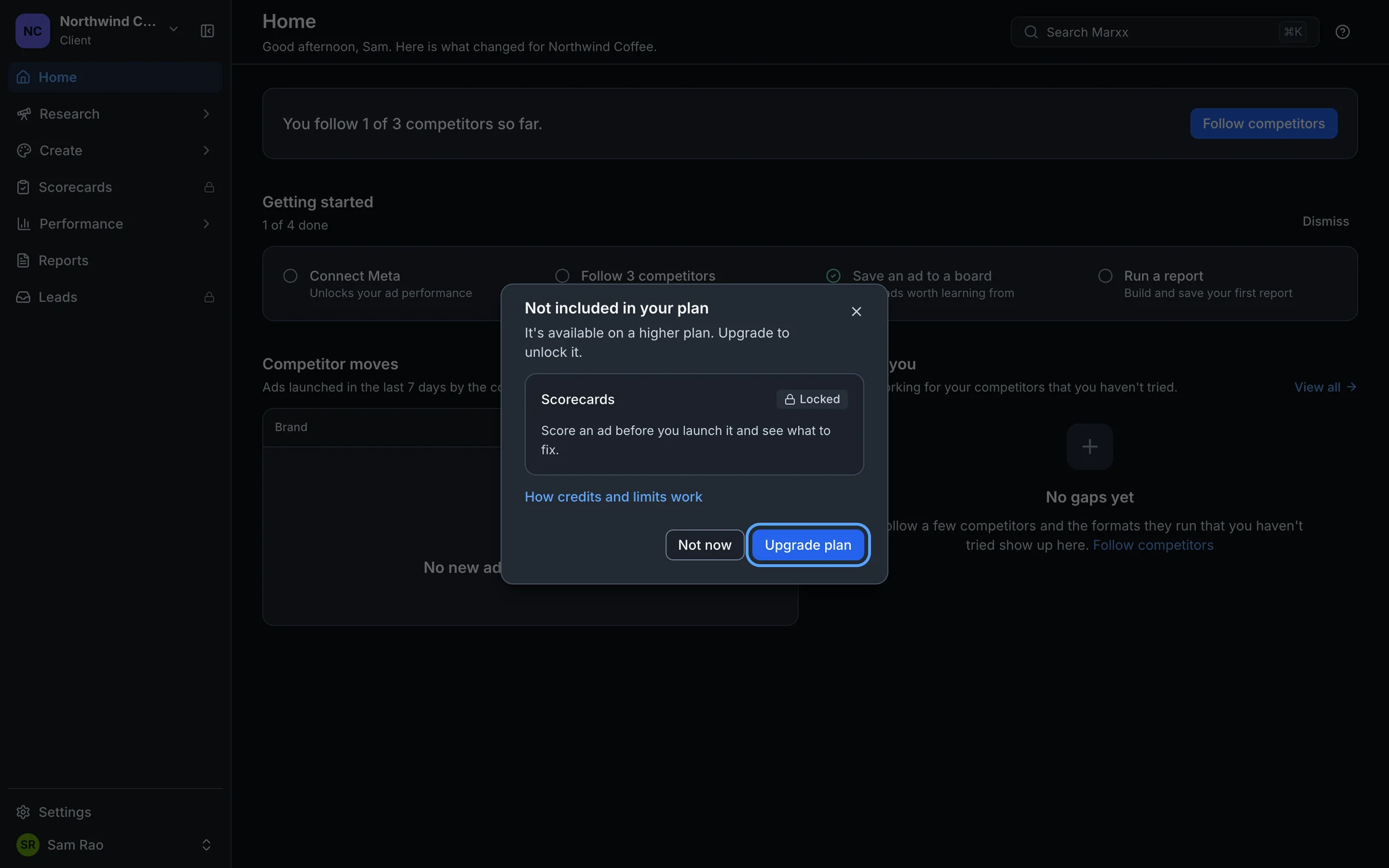
When a feature isn't in your plan
Some features are locked. You will see:
- A padlock beside the page in the sidebar.
- A page that reads "
isn't included in your plan", or a dialog titled Not included in your plan with a Locked badge.
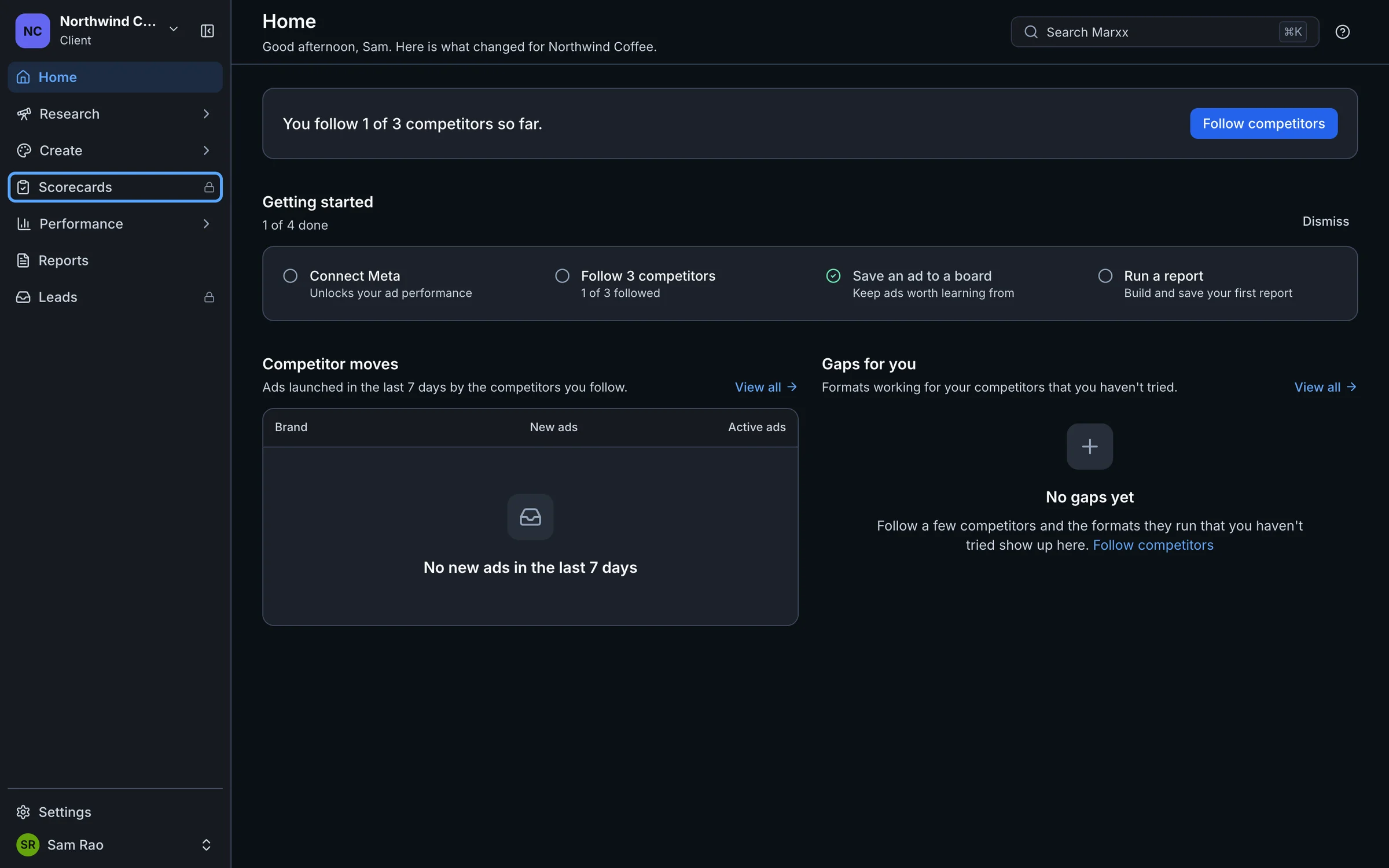
Admins get an Upgrade plan button. Members see "Ask your organization admin to upgrade your plan."
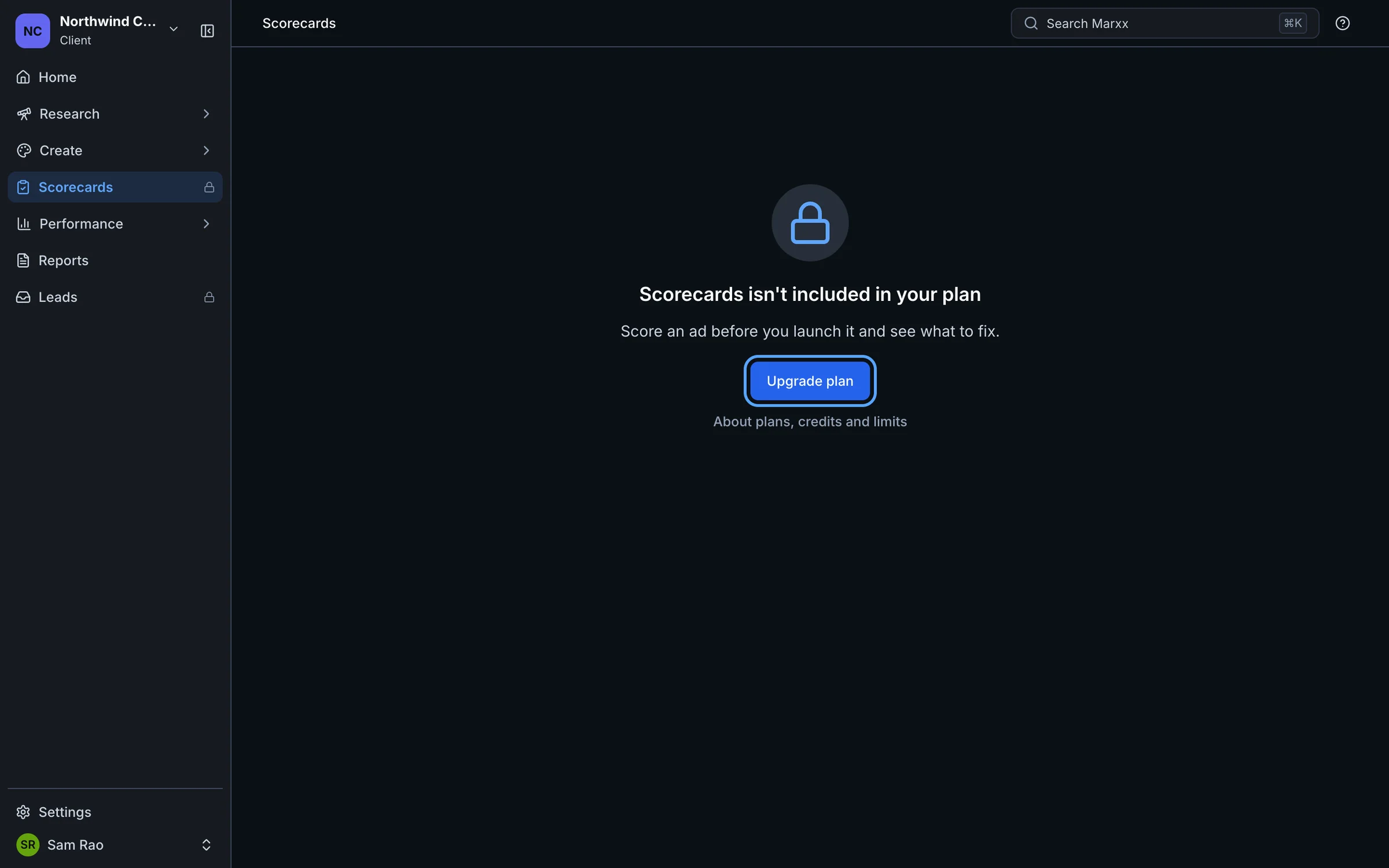
The same lock can appear as a window over the page you are on:
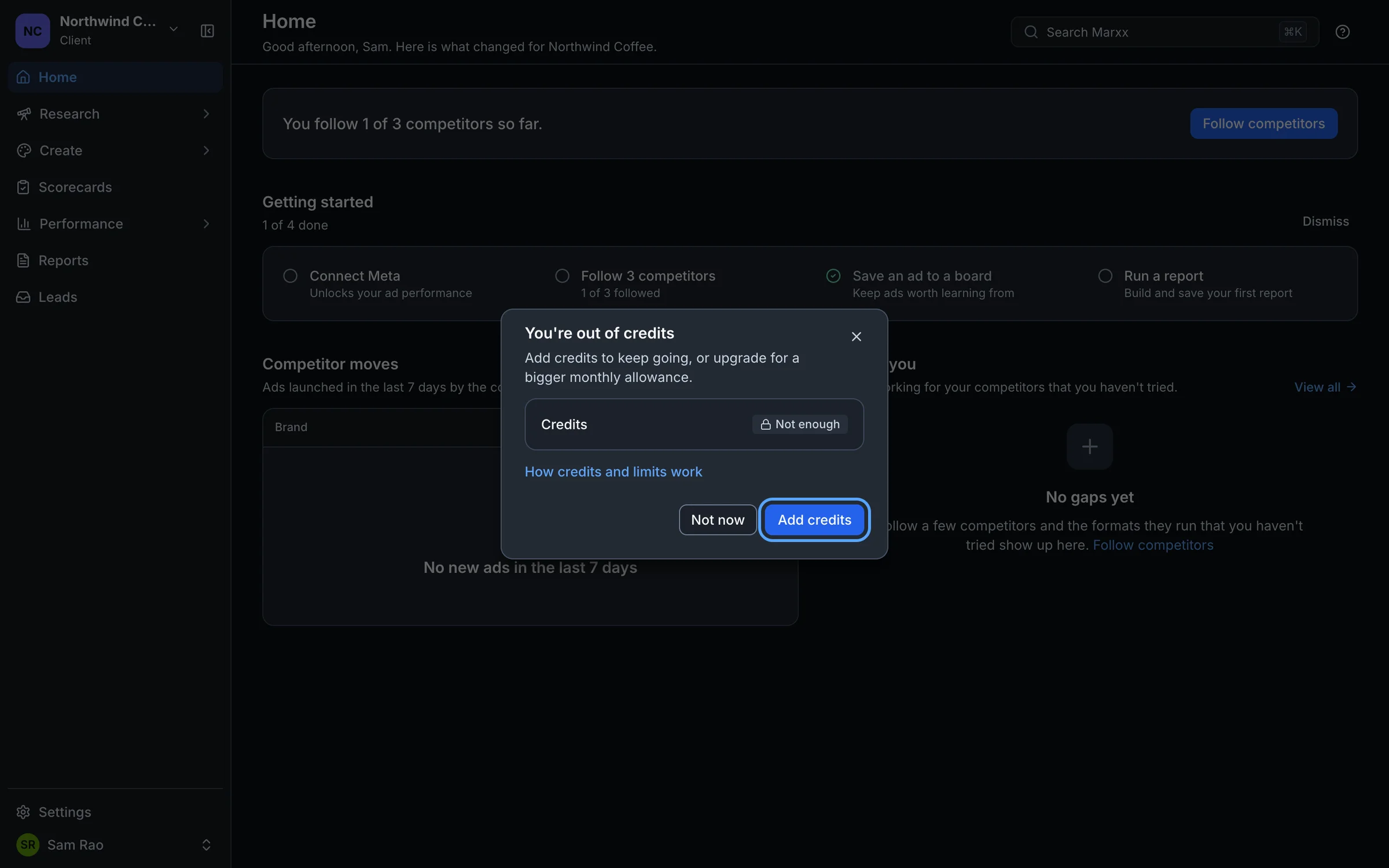
When you run out of credits
The dialog You're out of credits appears when an action needs more credits than you have.
Select Add credits. This opens Plan & usage.
On the Credits card, select Add credits again.
Choose a pack or Another amount, then Continue to checkout. Checkout opens in a new tab.
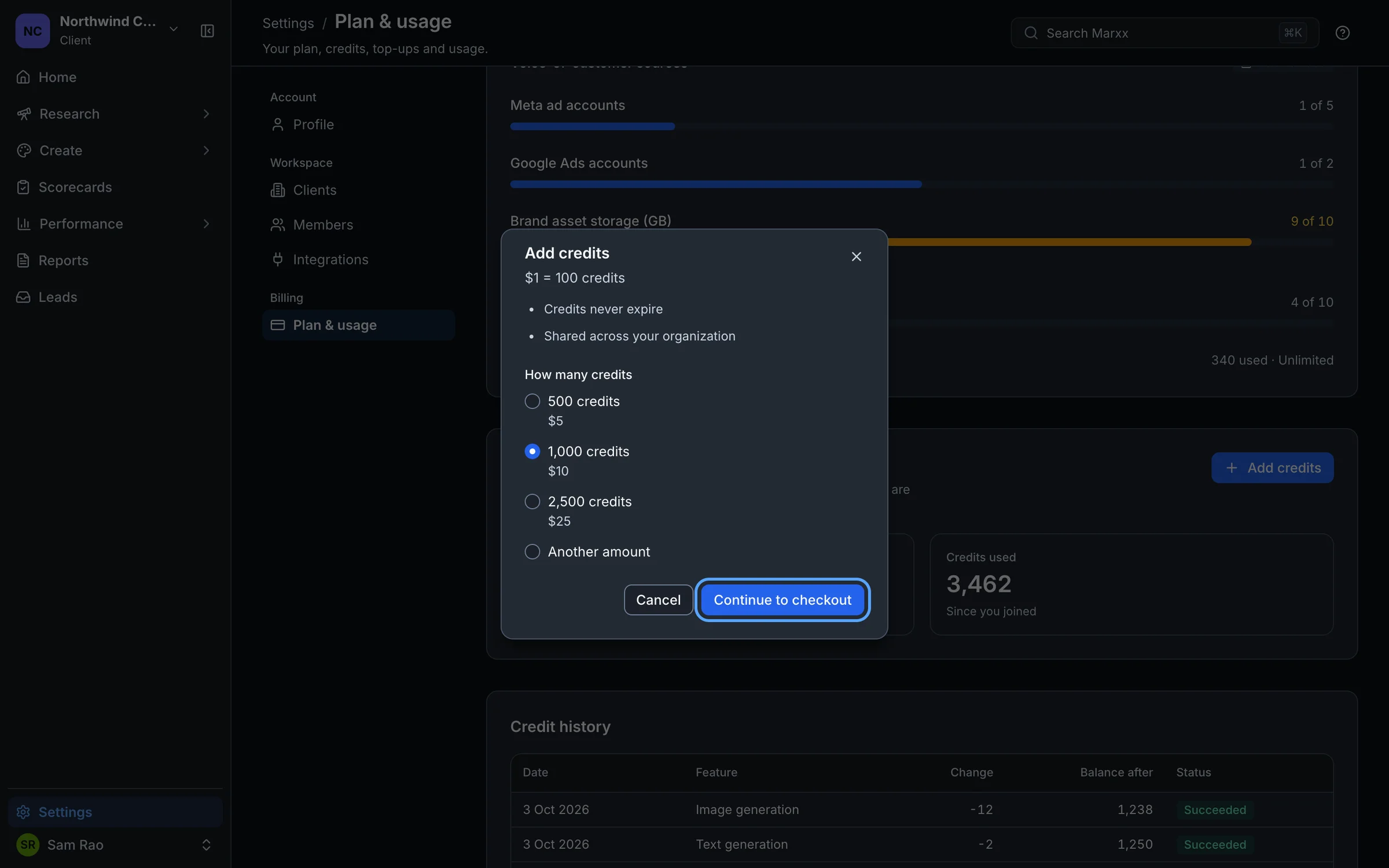
Credits never expire, and everyone in your organization draws from the same balance. The balance on Plan & usage updates when you return to the Marxx tab.
More help
- Trial and subscription covers changing plans.
- Troubleshooting explains the other messages you may see.
Still stuck?
Email apurv@marxx.ai with a screenshot of what you see, or book a call and we will walk through it with you.