Fix a problem
My data isn't showing
Work through the usual reasons a page is empty or out of date: an import still running, the wrong client, an unassigned ad account, or a Google Ads account you haven't chosen.
Start with the message on the page, then go to the matching section.
"We're importing your Meta data"
You see a progress bar labelled Importing and the text "This process may take up to 2 hours depending on the amount of data."
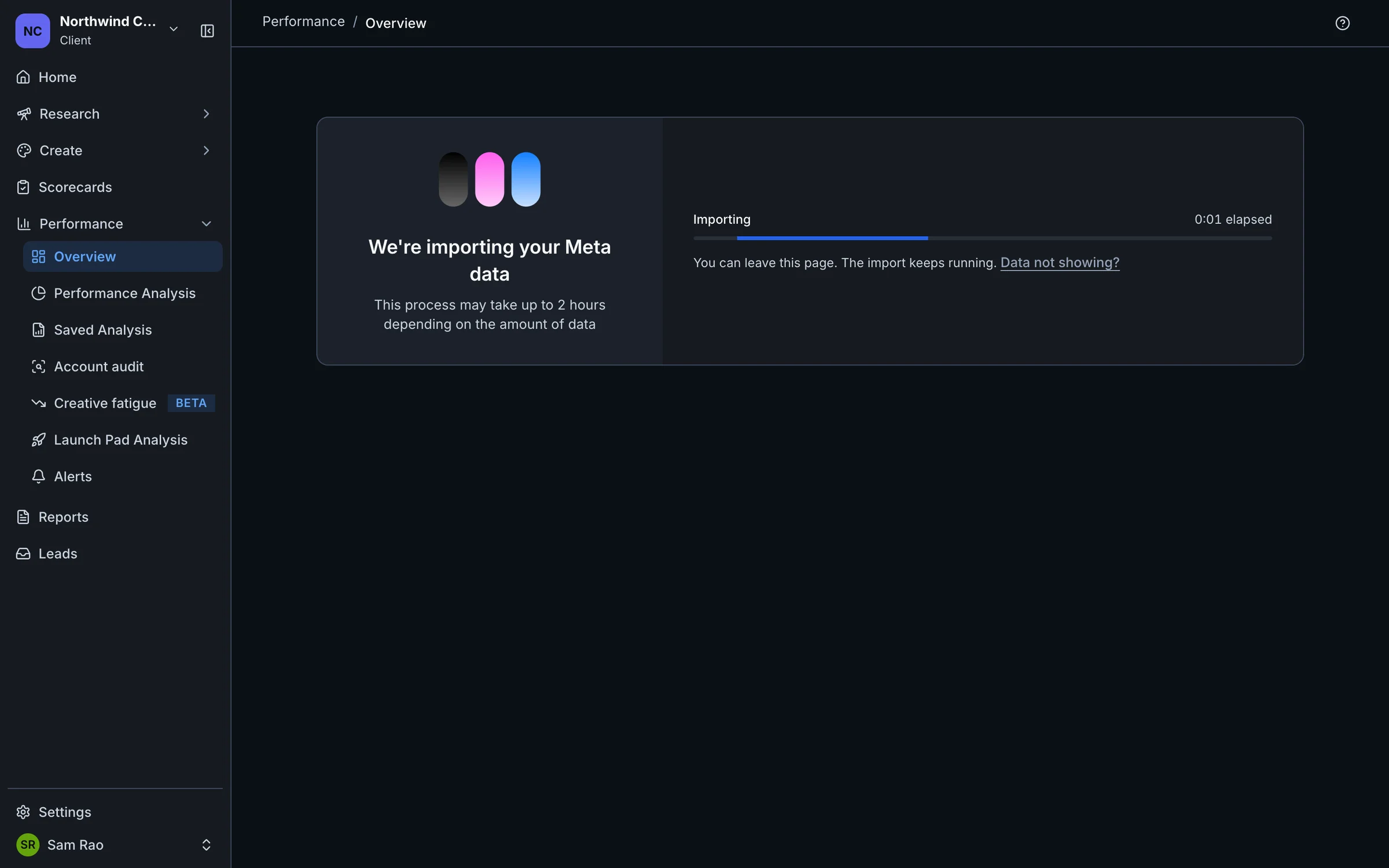
This is normal after you connect an ad account. Marxx is pulling in your ads and numbers for the first time. The page also says "You can leave this page. The import keeps running." Come back later. When it finishes the bar reads Import complete and your data appears.
If it is still running after two hours, email apurv@marxx.ai with the client and ad account name.
"No ads found"
The page reads: "We finished importing
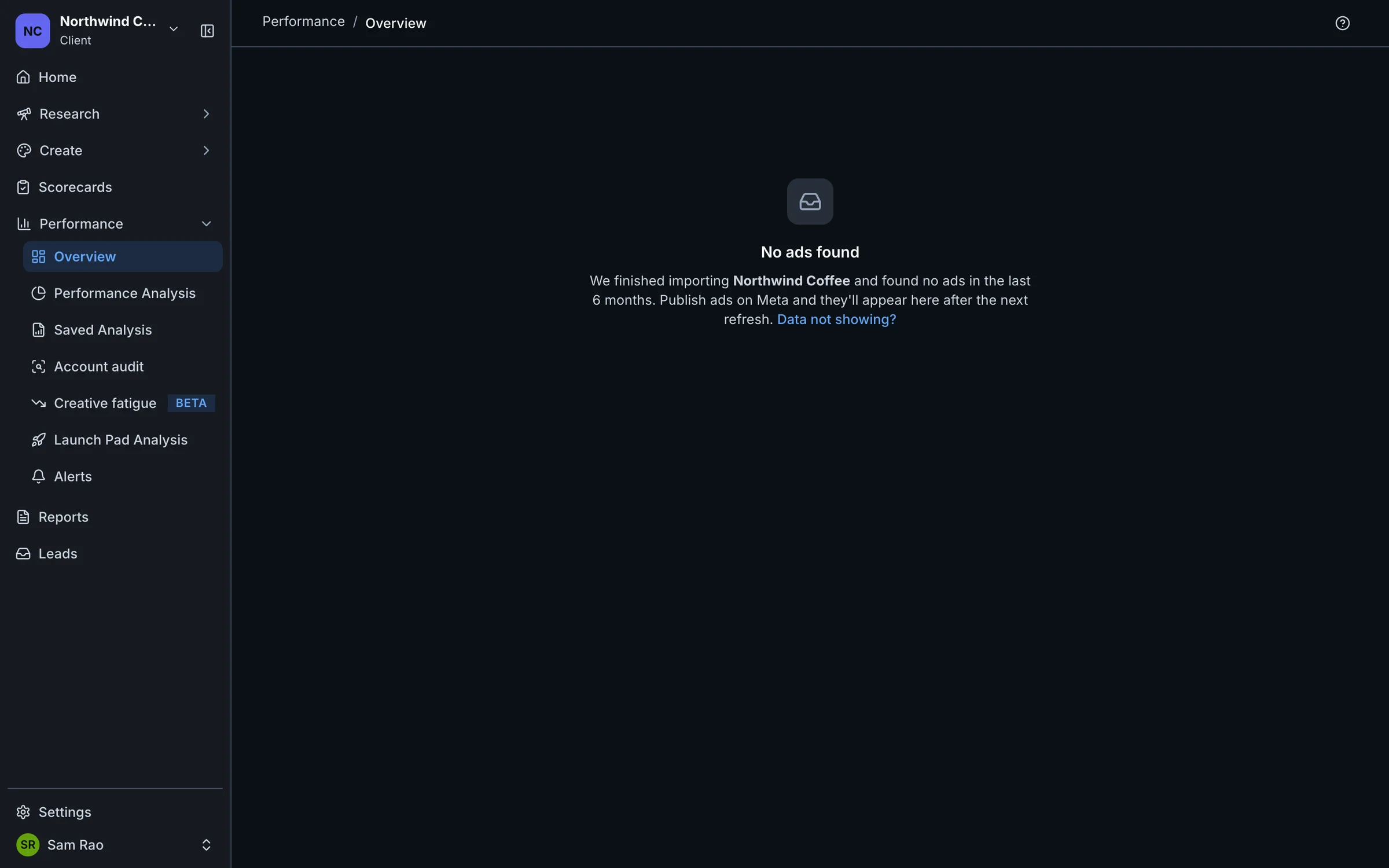
The check covers the last 6 months. This message means the import worked and the account had no ads in that window. Check you connected the right ad account:
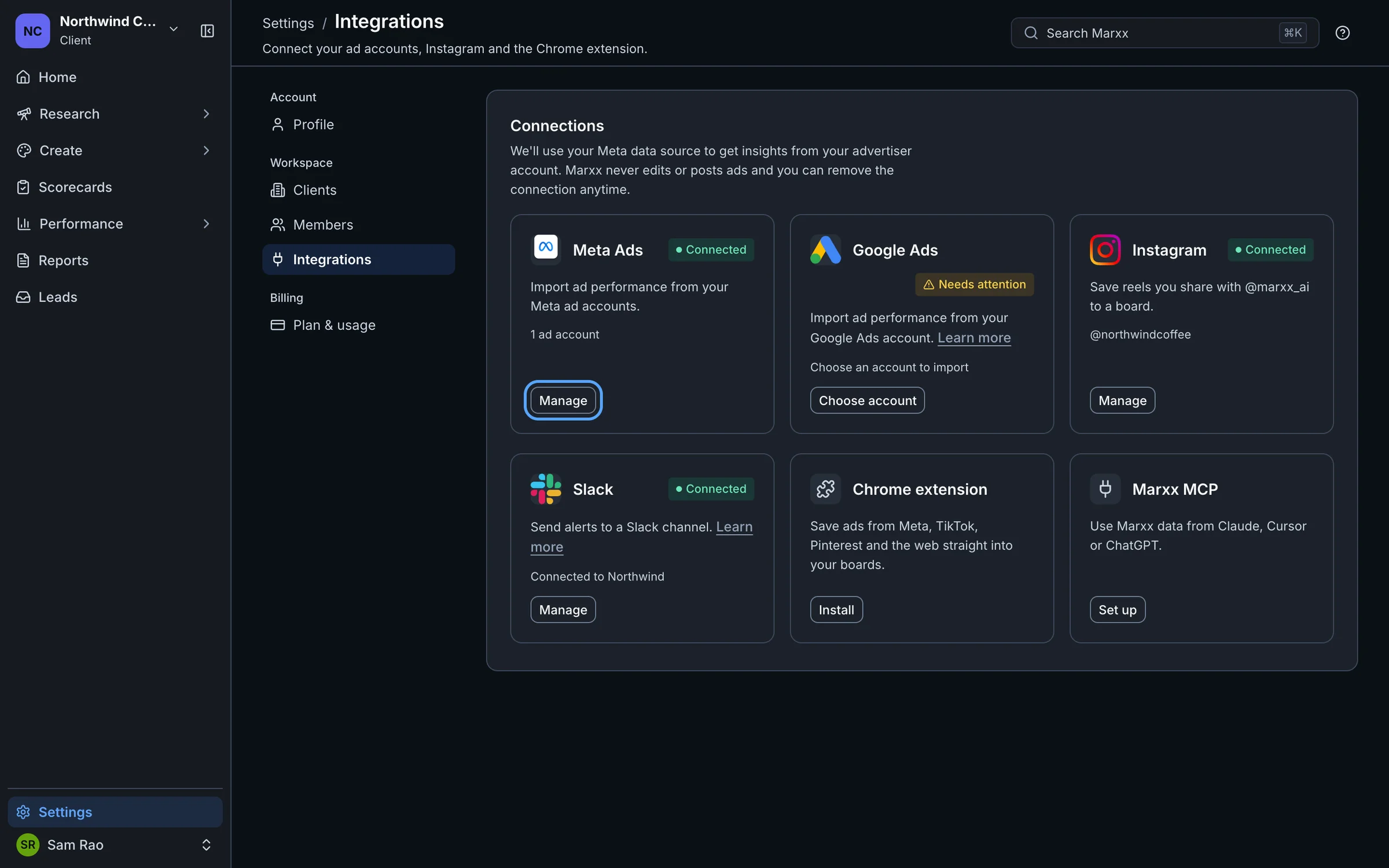
Open Settings, then Integrations.
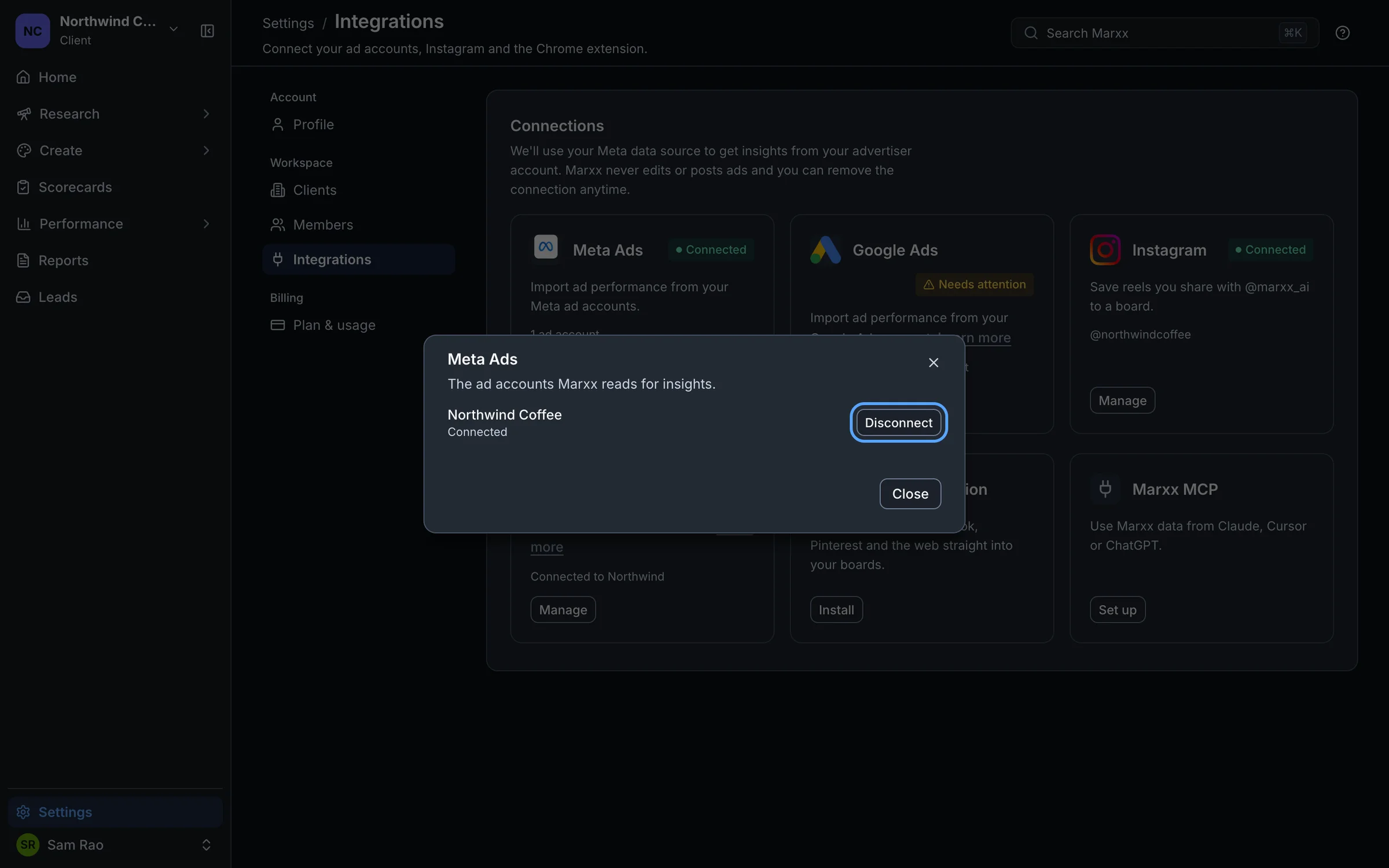
On the Meta Ads card, select Manage to see which ad accounts are connected.
If it is the wrong one, select Disconnect next to it and connect the one you run ads from. See Connect Meta.
Data looks out of date
Open Settings, then Integrations.
If the Meta Ads card shows Needs attention with a Reconnect button, Marxx can no longer read an ad account, so new ad data has stopped syncing. A banner on your pages says so too, and the ad account menu on Performance labels the account Reconnect needed. Select Reconnect and follow Reconnect Meta.
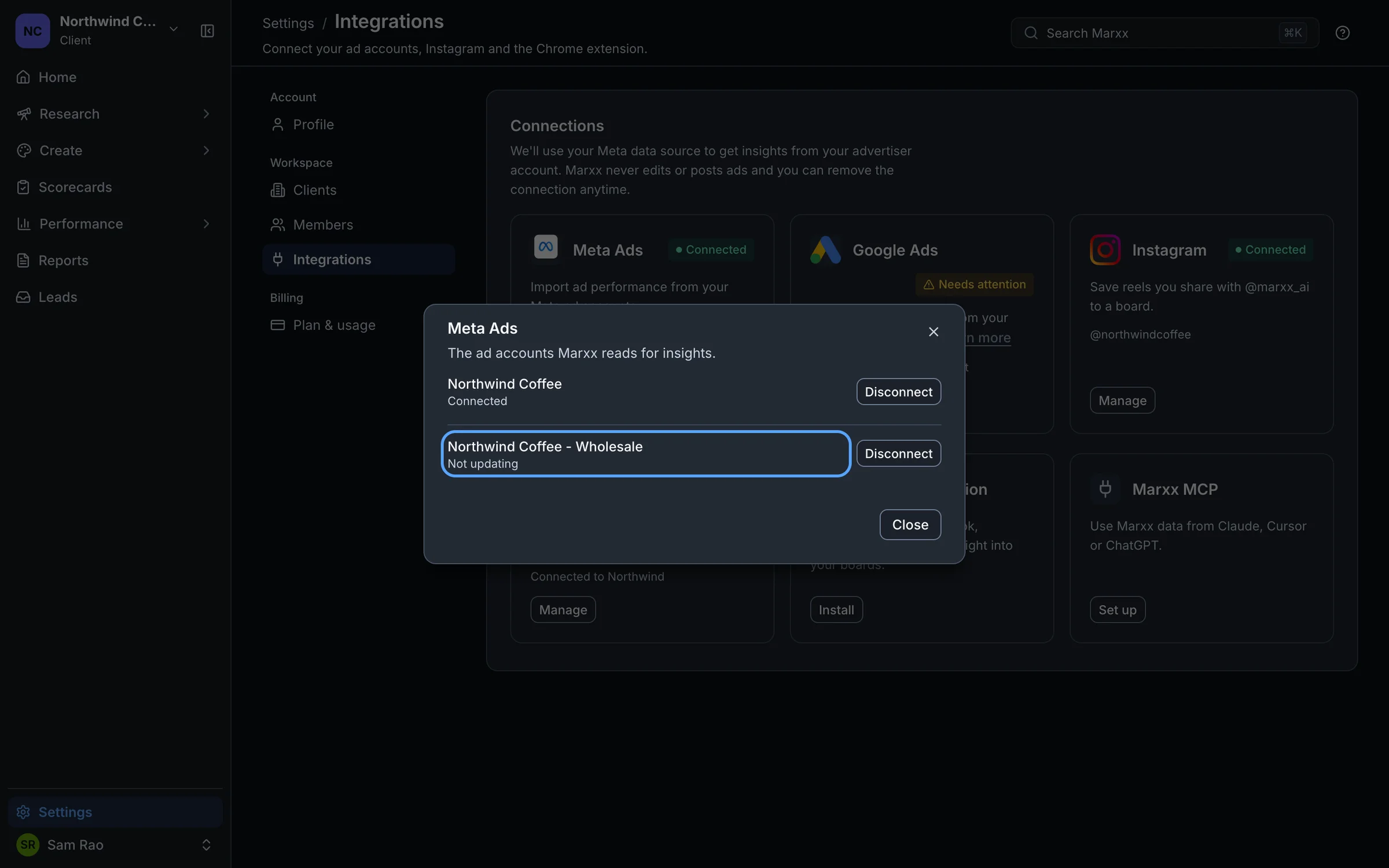
Otherwise select Manage on the Meta Ads card. Each ad account shows one of:
- Connected: all is well.
- Not updating: Marxx hasn't received new data for the account recently. If it stays this way, email apurv@marxx.ai with the client and account name.
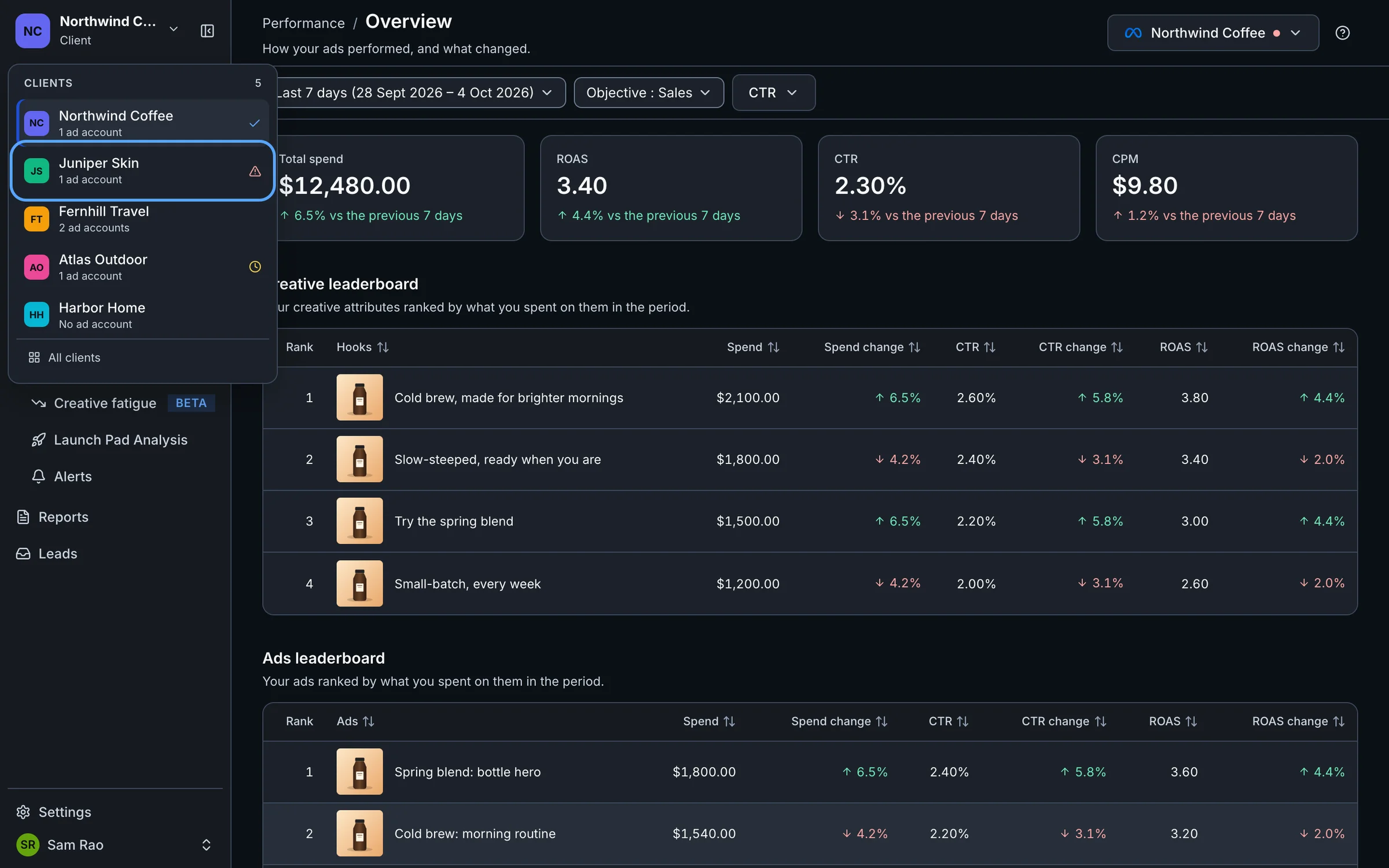
A warning icon in the client switcher flags the same two states for each client.
You are looking at the wrong client
Every page shows one client's data. If the numbers, brands or boards look like someone else's, you are probably in a different client.
Check the name at the top of the sidebar.
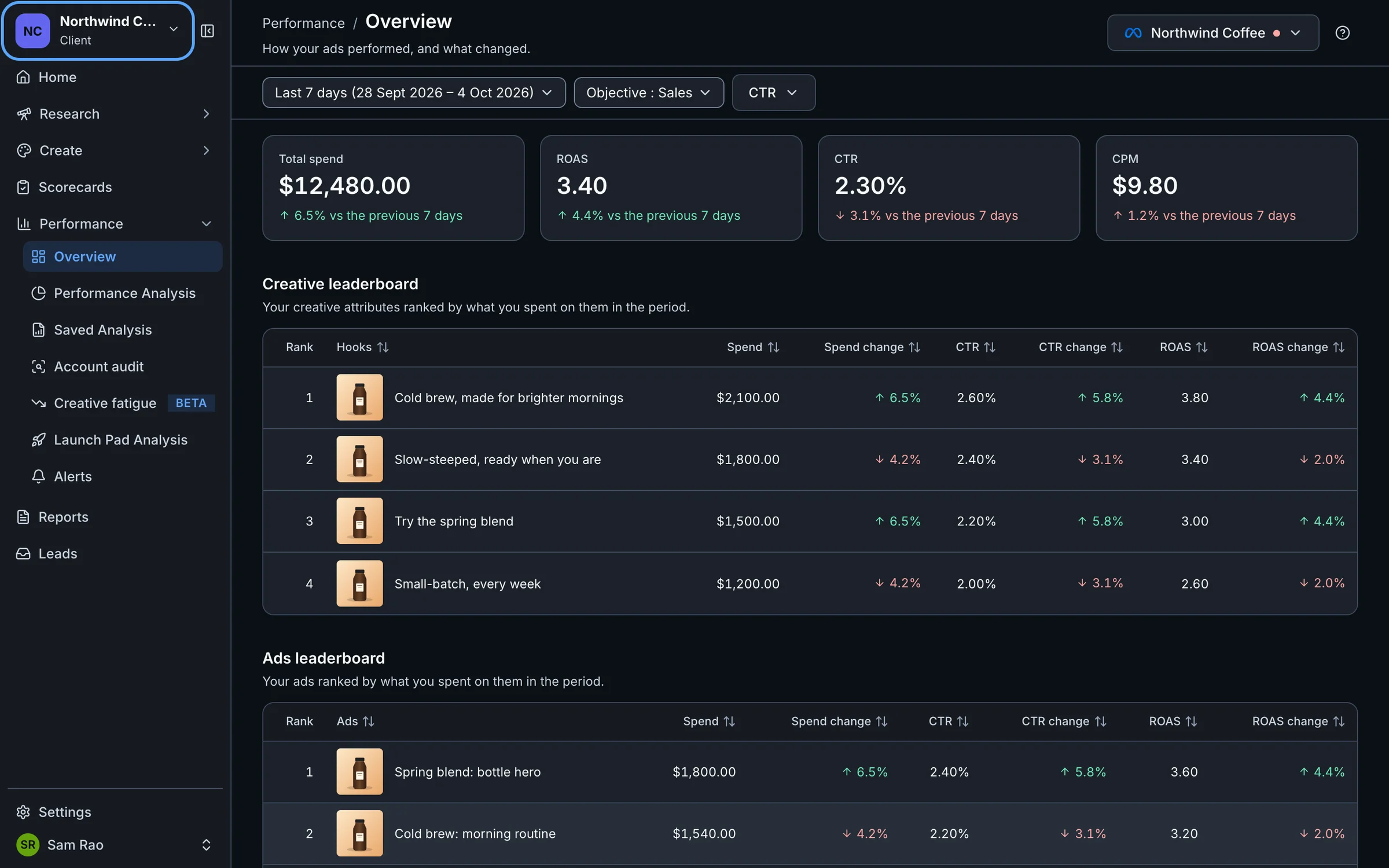
Select it and pick the right client from the Clients list.
The ad account isn't assigned to a client
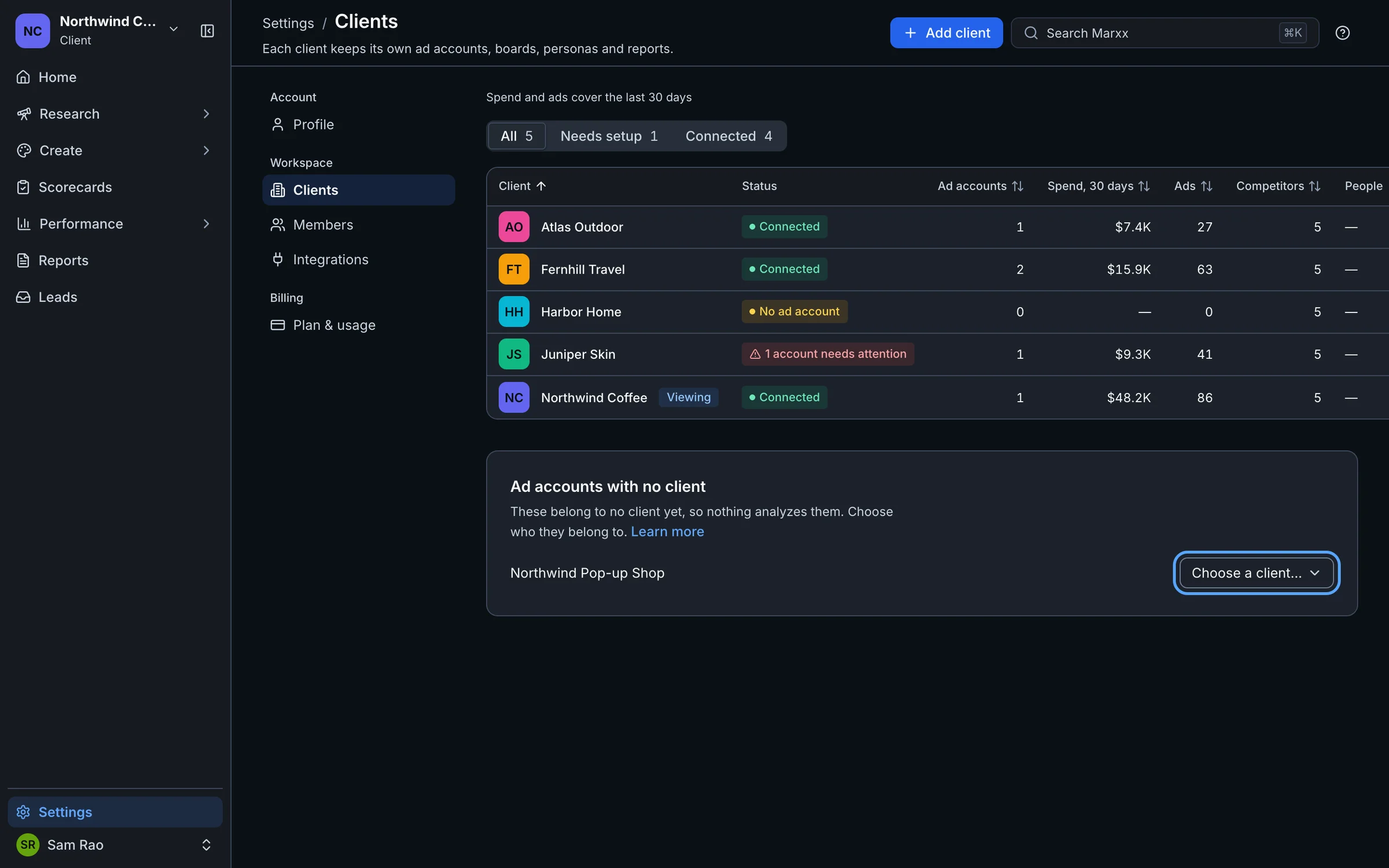
An ad account that belongs to no client isn't analyzed, so it shows nothing anywhere.
Open Settings, then Clients.
Look for Ad accounts with no client under the table.
Next to the account, open Choose a client… and pick the client.
You will see "Ad account moved". See Add, rename and archive clients.
Google Ads shows nothing
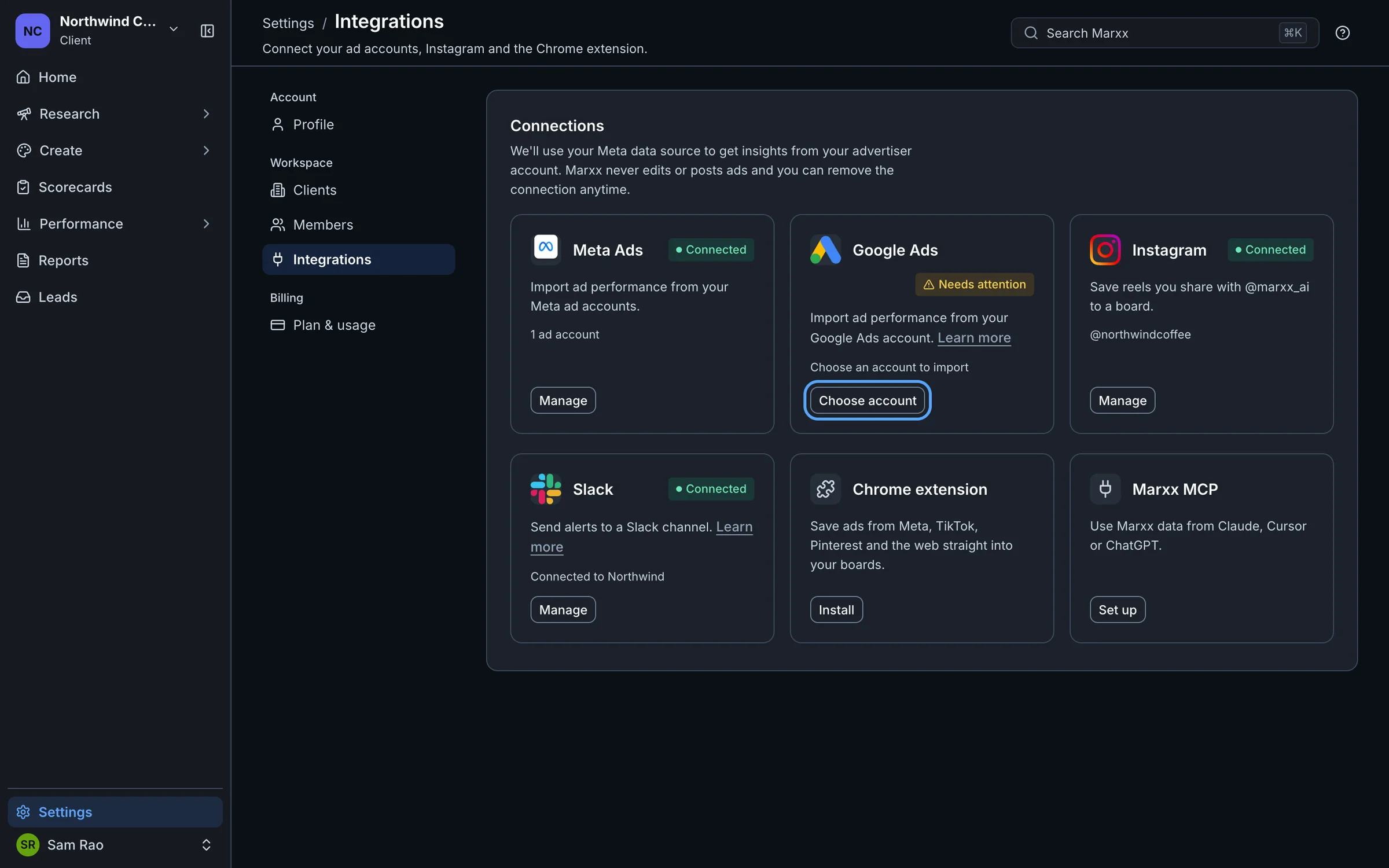
Connecting Google Ads isn't enough. You also choose which account to import, once per client.
Open Settings, then Integrations.
On the Google Ads card, a status of Needs attention with "Choose an account to import" means no account is chosen yet. Select Choose account.
Pick the account under Choose an account….
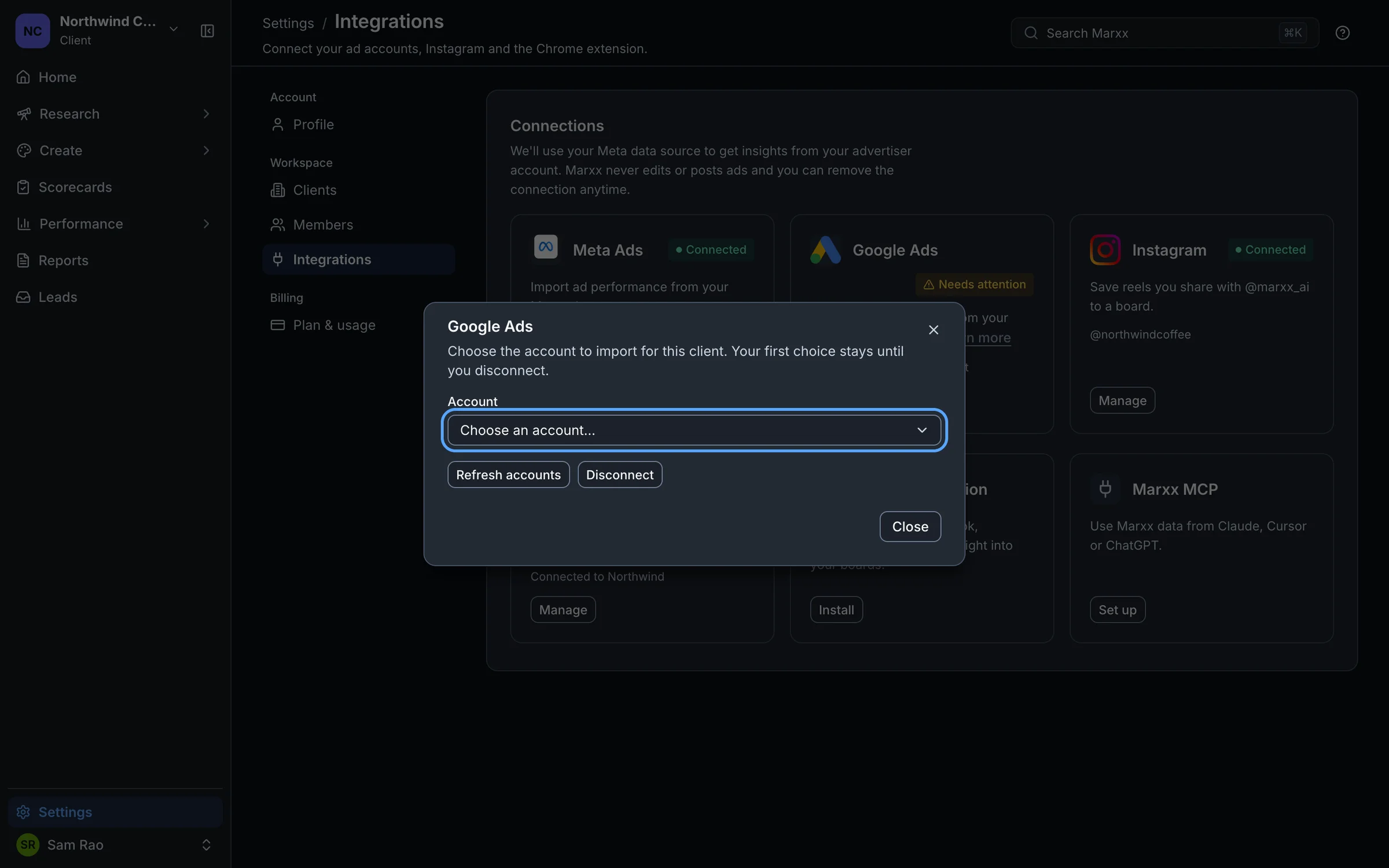
Your first choice stays until you disconnect, so pick carefully. If the account you want isn't listed, select Refresh accounts. See Connect Google Ads.
Still empty
- A padlock on the page in the sidebar means it isn't in your plan. See Credits and plan limits.
- A message that starts "Couldn't load" is an error, not missing data. See Troubleshooting.
Still stuck?
Email apurv@marxx.ai with a screenshot of what you see, or book a call and we will walk through it with you.