Connections
Leads waiting on a Meta reconnect
Why some leads show no form answers yet, and the reconnect that fills them in.
On the Leads page you may see a notice at the top:
"3 leads are waiting on a Meta reconnect: the page token cannot read form answers yet. The source and ad are recorded; the answers fill in automatically once the page is reconnected."
The number changes.
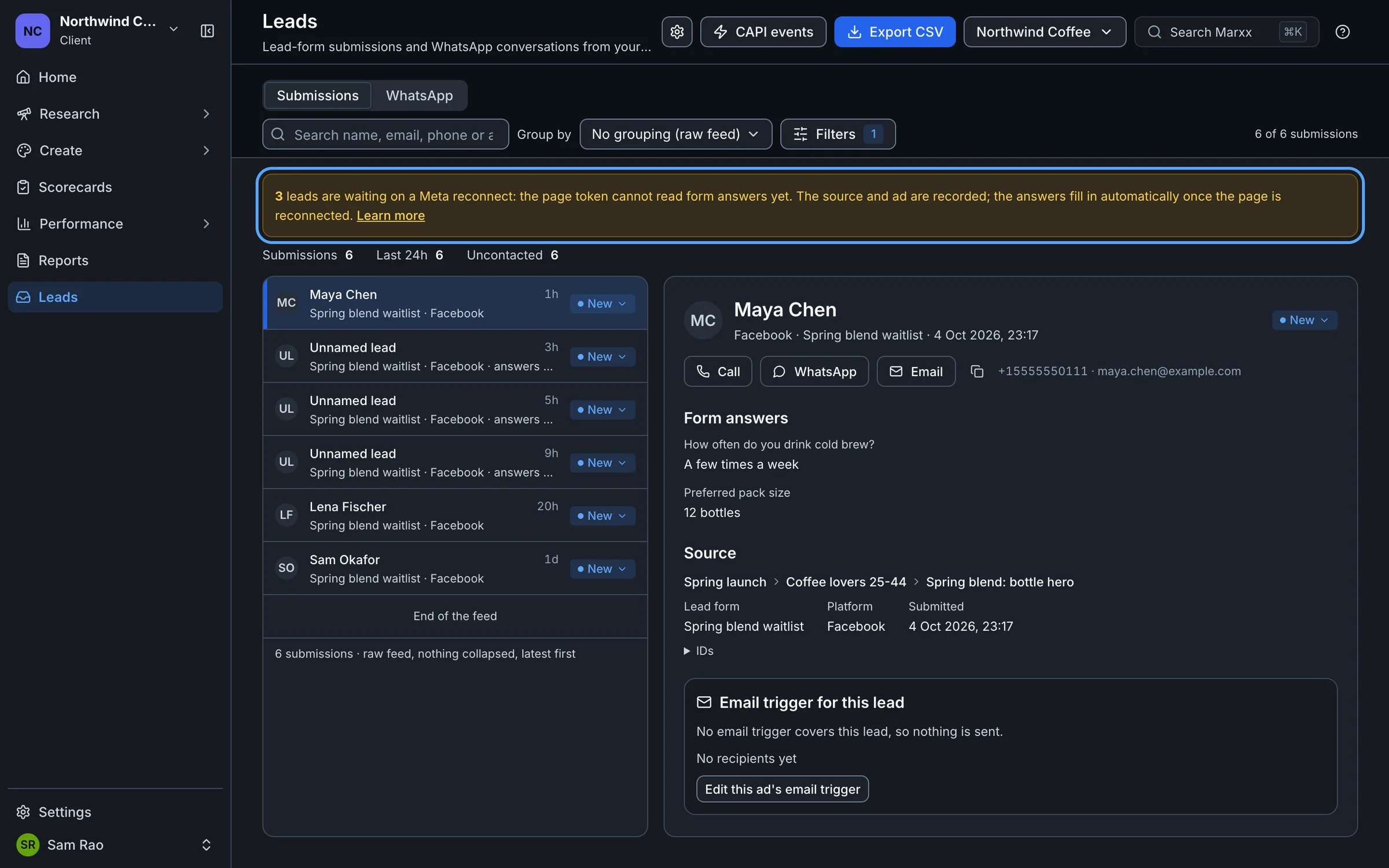
In the lead list, the line under each affected lead's name ends with answers pending reconnect, after the form name and platform. These leads show as "Unnamed lead" until their answers arrive. In a narrow list the line can be cut off, but the text is there.
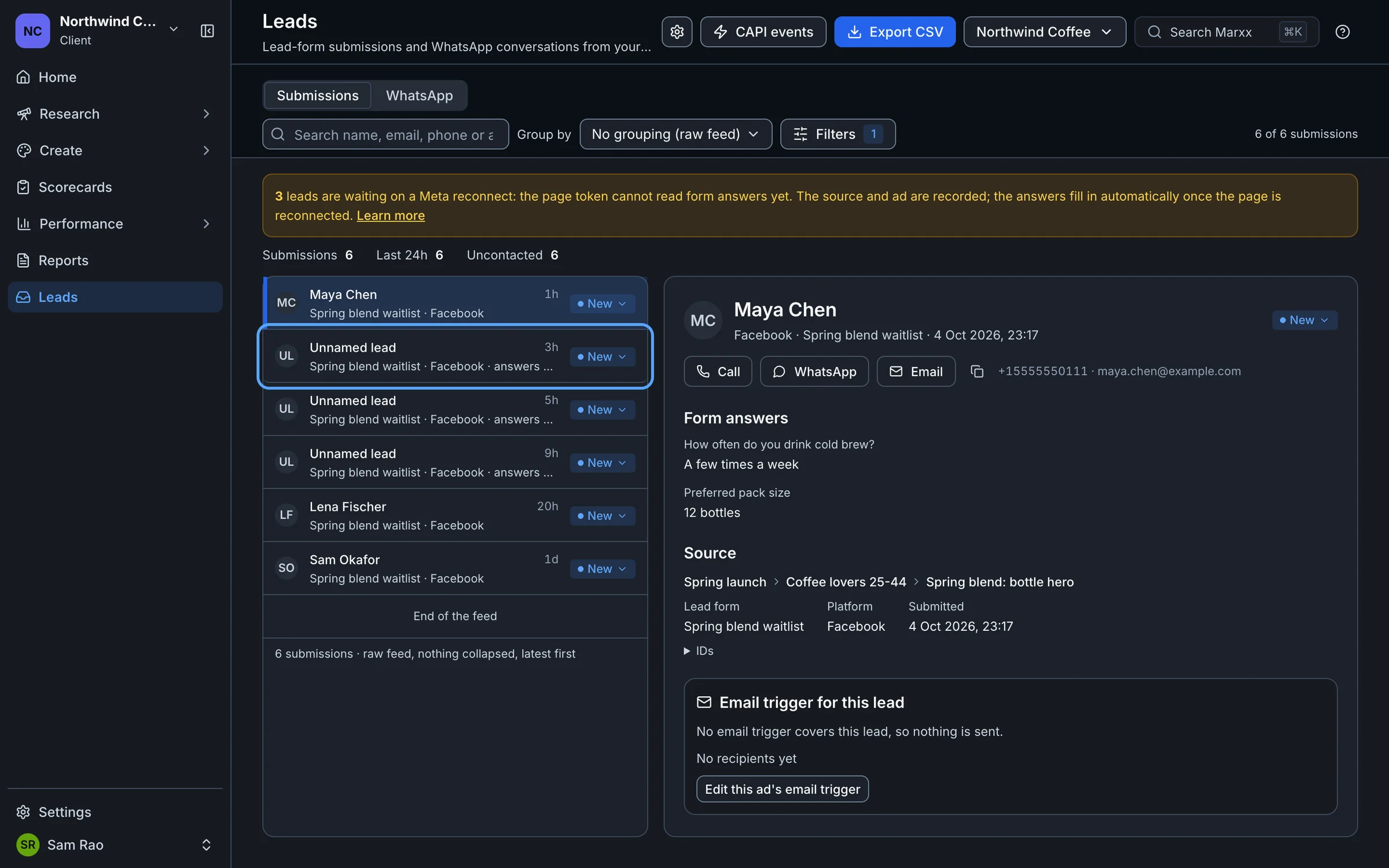
Select one of these leads and its Form answers section says Meta will not release the answers until the page is reconnected.
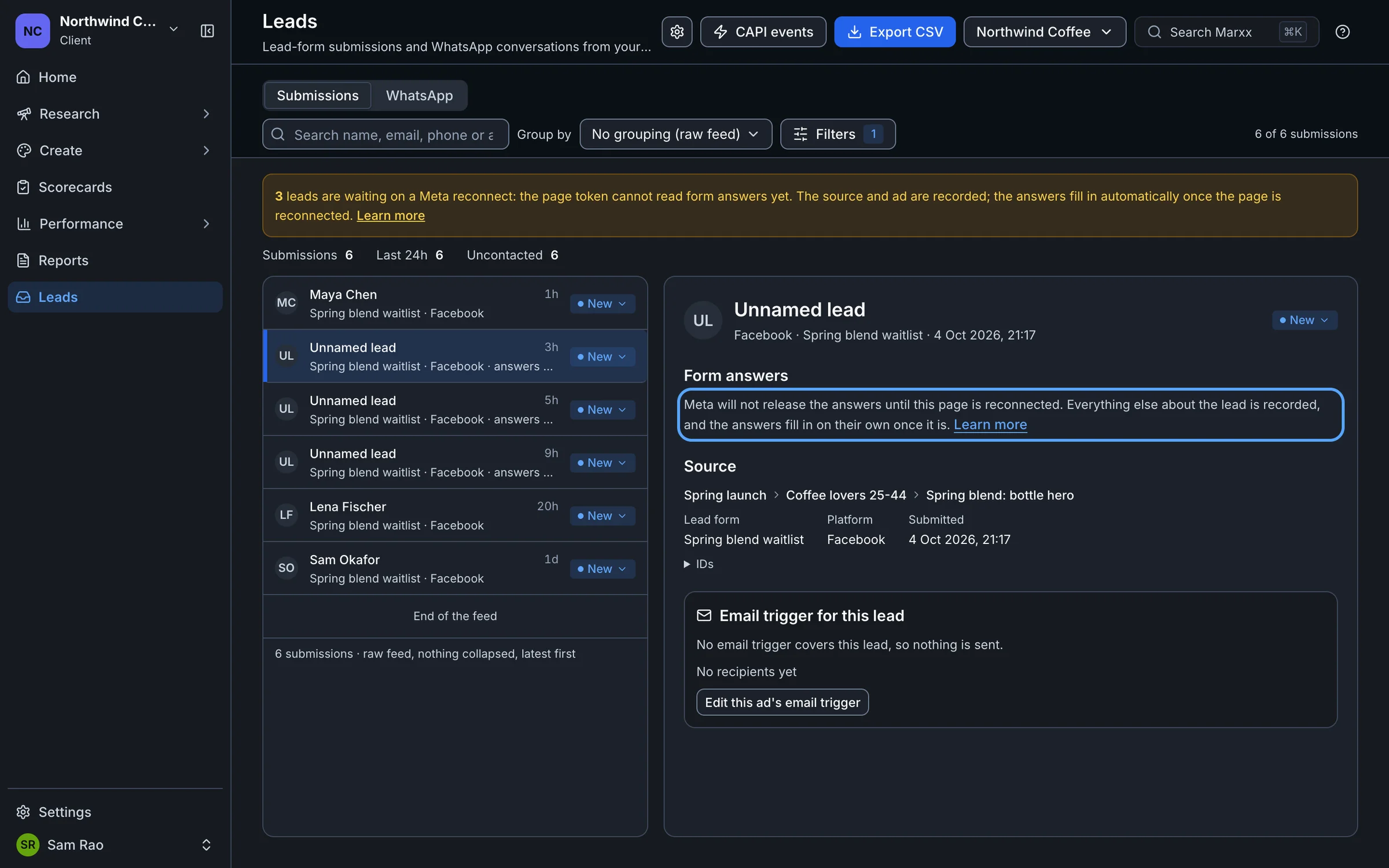
What it means
Nothing is lost. For each lead, Marxx already knows which ad, form and platform it came from. What's missing is what the person typed into the form: their name, email, phone and other answers.
To read those, Marxx needs a Page connection that includes Meta's leads_retrieval permission. These leads were submitted while the connection didn't have it, so Meta refused to hand over the answers.
Why it happens
- The account was connected before Marxx asked for lead access. Older connections never granted the permission. Reconnecting grants it.
- The Page's connection stopped working. If Meta rejects the stored login for the Page, answers can't be read until it's reconnected. See Reconnect a Meta ad account.
Fix it
Switch to the client the leads belong to.
Open Settings → Integrations.
If the Meta Ads card shows Needs attention, select Reconnect. Then select Connect Meta account, log in to Facebook, and approve every permission Meta lists. Don't untick any.
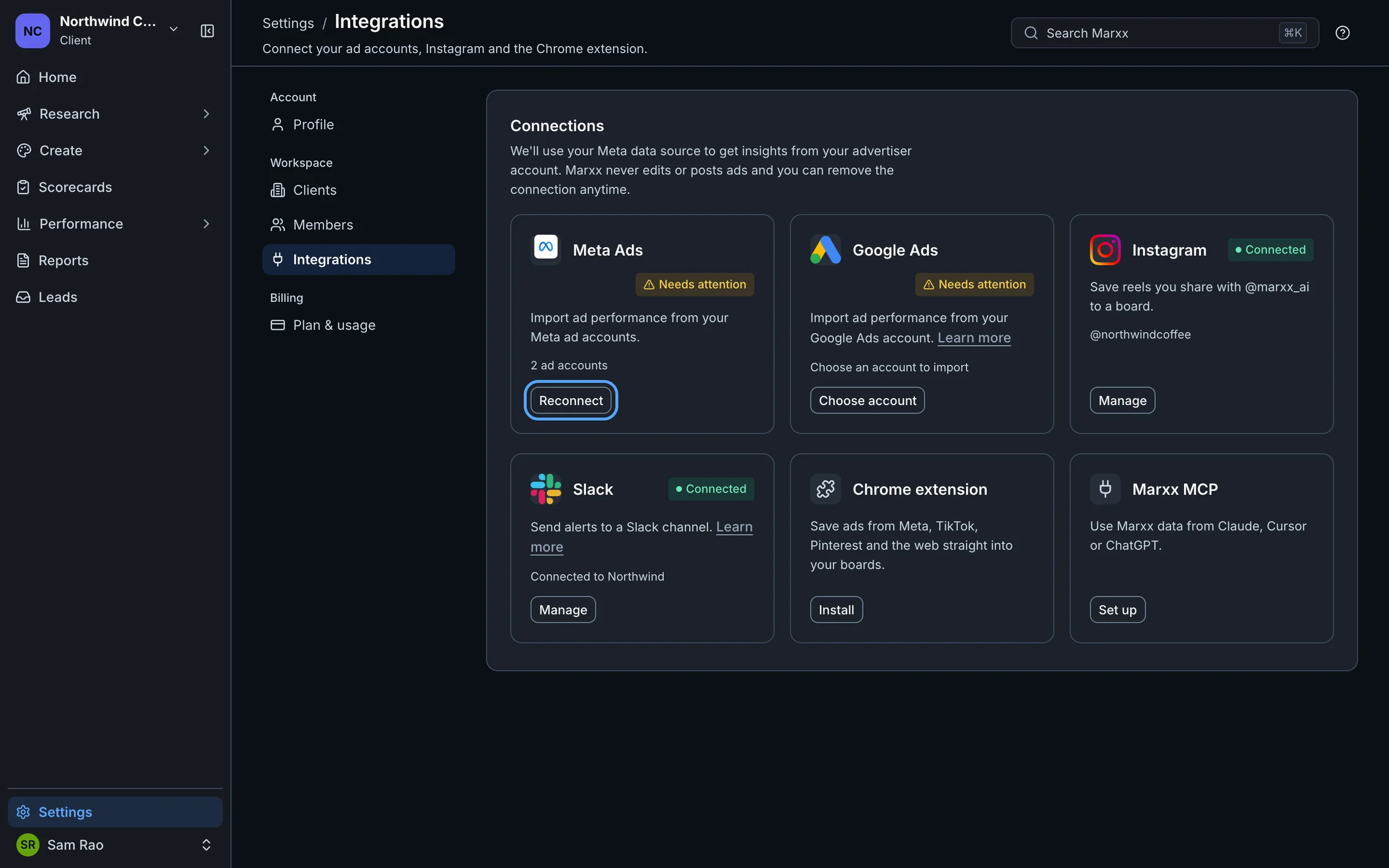
Choose the same ad account you already use and select Select.
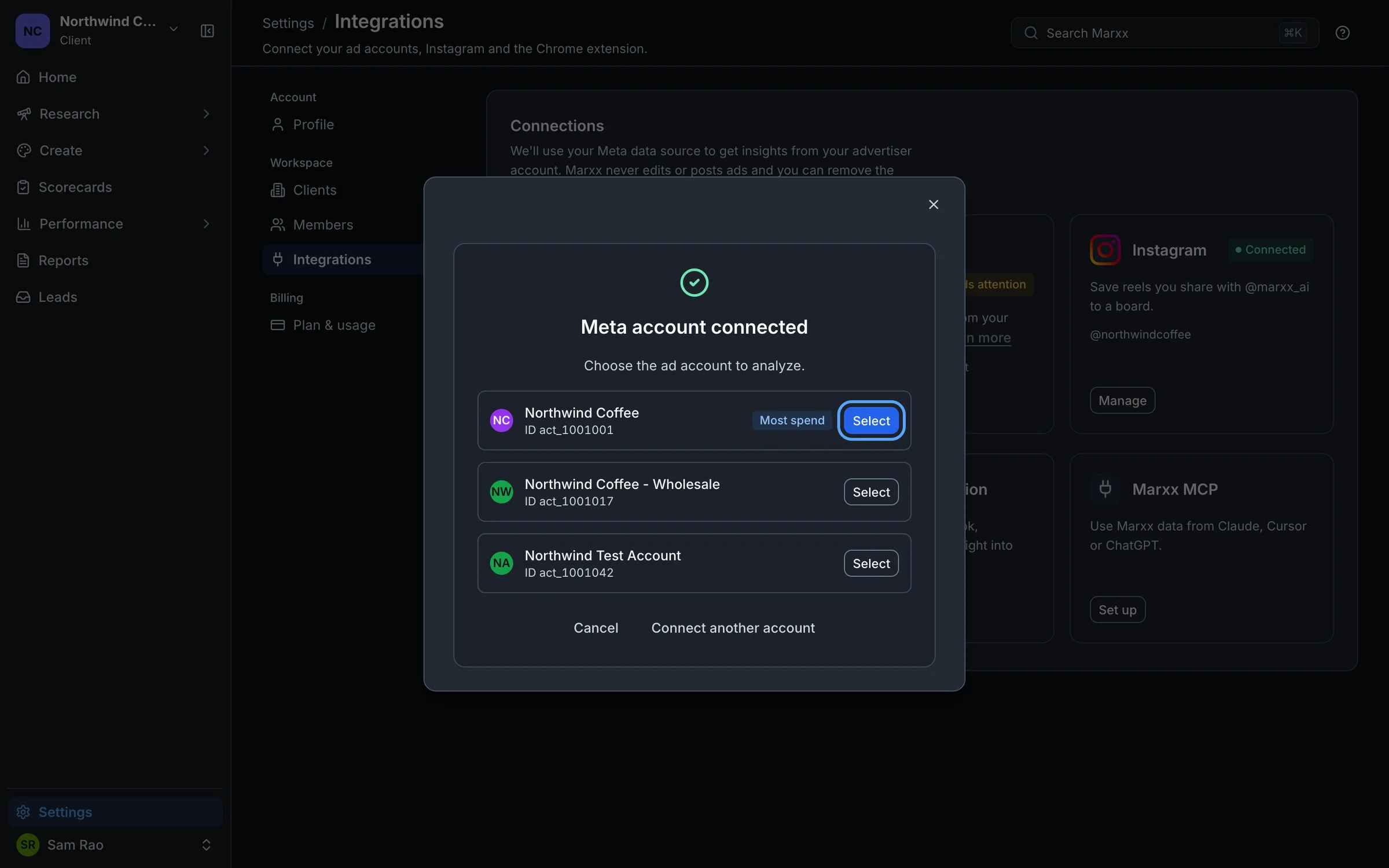
For login problems, see Connect your Meta ad account.
If the card says Connected and shows no Reconnect button, the connection is healthy but still lacks the lead permission. Email apurv@marxx.ai or book a call, say which client it is, and we'll sort out the reconnect with you.
What happens next
The notice says the answers fill in automatically once the page is reconnected. Open the lead list again after a few minutes. When a lead's answers arrive, the tag disappears and its details show the form fields.
If the notice and tags are still there a day after you reconnected, contact us the same way. We can replay the waiting leads for you.
A related notice: pages not receiving leads
You may also see: "1 connected page is not receiving leads yet: Meta has not installed the app on it. New submissions will not arrive until that completes."
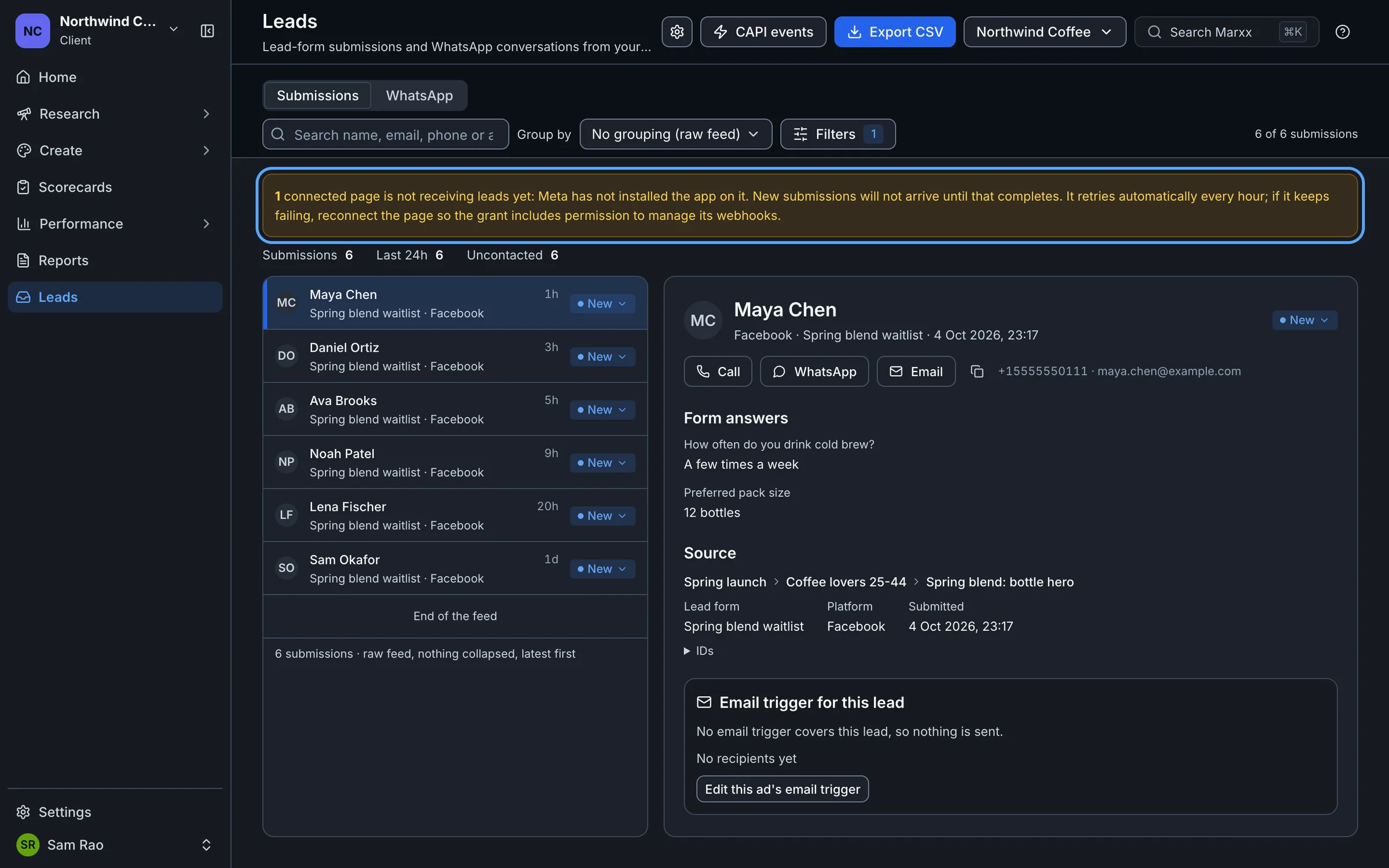
Marxx retries this automatically every hour. If it keeps failing, reconnect the page so the connection includes permission to manage its webhooks, using the same steps above.
Good to know
- Leads still appear in the list, and keep their status, while they wait for answers.
- Reconnecting once fixes every waiting lead for that client.
- New leads that arrive after a good reconnect come in with their answers.
Still stuck?
Email apurv@marxx.ai with a screenshot of what you see, or book a call and we will walk through it with you.